QR Codes on TV Commercials: How to Make One People Can Actually Scan
A QR code in a TV commercial has to be large, still, high contrast and on screen long enough to scan. Here's how to design one and keep the destination editable.
Short answer: A QR code on a TV commercial works only if viewers can frame it, focus and scan before the shot ends. Use a short URL inside the code, high contrast, a large quiet zone, and enough on-screen time. FattyURL is a free URL shortener at fattyurl.com; put a short link in the QR so the code stays simple and you can edit the destination after the spot airs.
QR codes in US TV ads, streaming pre-roll and connected-TV spots fail more often than poster codes, because the viewer is across the room, the shot is brief, and the screen may be cramped by a ticker or a logo bug. This guide covers how to design a scannable TV QR, how long to hold it, and why the payload should be a short, editable link rather than a long tagged URL. For print sizes, see QR code size for print. For the generator itself, start at fattyurl.com/qr.
Why TV QR codes are harder than print
A phone camera has to resolve the modules (the dark and light squares) from a couch or a gym treadmill. Compression on some channels can soften edges. Brightness, motion and a short hold make things worse. If the code also stores a long URL with UTM tags, the pattern is denser and even harder to read at a distance. The fix is the same in almost every successful spot: a large, high-contrast code, a generous quiet zone, a short payload, and a spoken or on-screen URL as a backup.
How to make a QR code that can survive a TV commercial
- Create a short link first. Disclosure: FattyURL is our product. A free account at fattyurl.com gives you a custom slug, click counts and destination edits, with no monthly cap. Put UTM tags on the destination, not in the printed pattern. Free-account links never expire. Guest links made from 7 October 2026 expire after 30 days with no click. Free links may show ads; paid-plan links never do.
- Generate a high-contrast QR of that short URL, in PNG or SVG, with a wide quiet zone (the blank margin around the code). Avoid a busy logo that covers the finder squares.
- Size it for the living room, not the design file. On a 16:9 frame, the code should be large enough that the modules stay distinct on a mid-size TV from a typical seating distance. If you have to squint in the edit bay, viewers will not scan it.
- Hold the shot. A useful rule of thumb in production is to keep a static QR on screen for several seconds, not a single flash. Motion, wipes and rapid cuts work against a successful scan. Test on a real TV, not only a laptop monitor.
- Say or show the short URL as well. Some people will not scan from a sofa. A readable address such as fattyurl.com/sale is a backup and a trust cue.
- Test on several phones before the spot is locked. If the landing page might change after air dates are booked, that is an argument for an editable short link, not a new code in a second cut.
Design choices that help or hurt
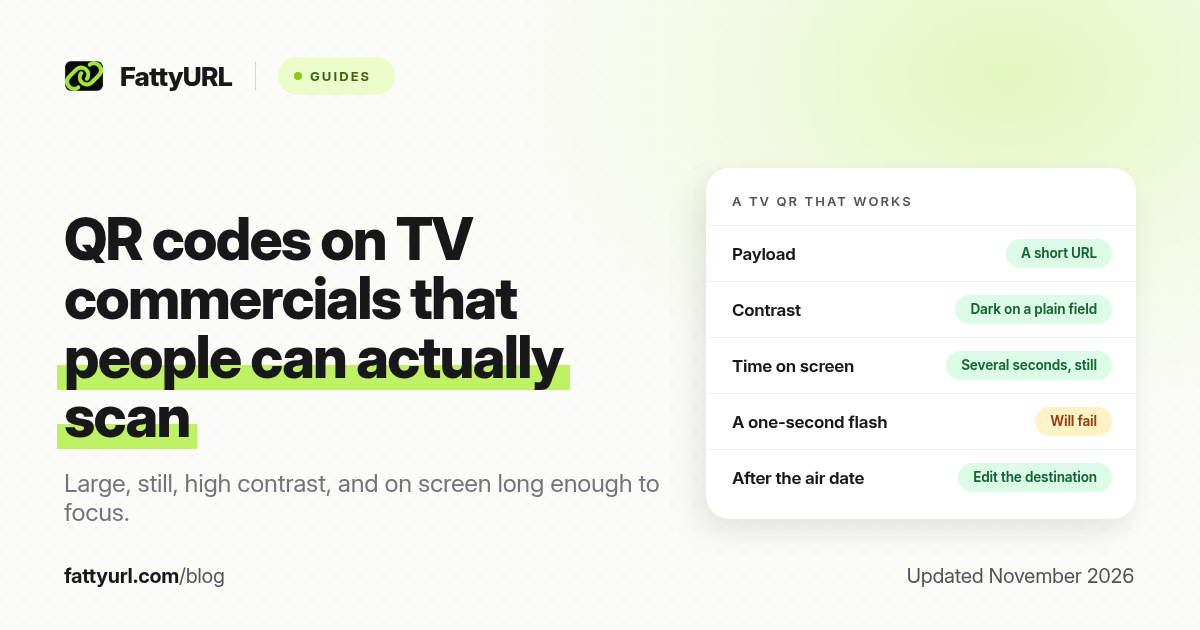
| Choice | Helps on TV | Hurts on TV |
|---|---|---|
| Payload | A short URL you control | A long URL with many UTM tags encoded in the pattern |
| Contrast | Dark modules on a light, plain field | Low contrast, patterns in the background, or a code over video |
| Time on screen | A still hold long enough to open the camera and focus | A one-second flash, or a code that moves or spins |
| Backup | The same short URL spoken or shown in text | QR only, with no way to type the destination |
| After the air date | An editable destination behind the same code | A static code pointed at a sale page that will 404 in January |
If you also need scan or click reporting, use the shortener's click counts and, if you use GA4, UTM tags on the destination. See how to track QR code scans for free. Do not cram a second tracking domain into the QR if it makes the pattern denser.
Streaming, pause-to-scan and legal copy
On streaming and on-demand TV, some viewers can pause. That helps, but you should not rely on pause-to-scan as your only plan; live broadcasts and sports still move on. Keep offers accurate for the air window, and if a promotion ends, edit the destination to a current page or a clear "this offer has ended" message instead of a broken checkout. Local broadcast and advertising rules vary; confirm claims and disclosures with your own counsel or station requirements.
Key takeaways
- TV QR codes fail when they are too small, too dense, too brief or too low-contrast.
- Encode a short URL, not a long tagged destination, and keep a readable URL on screen as a backup.
- Hold a still, high-contrast code long enough for someone to open a camera and focus.
- Test on a real television and several phones before you lock the spot.
- Use an editable short link so the same commercial can point at a new page after the sale ends.
FAQ
How long should a QR code stay on screen in a commercial?
Long enough for a viewer to notice it, open a camera and hold the phone steady, which is usually several seconds, not a single flash. If the shot is shorter than that, show the short URL in text as well, or skip the code.
What size should a TV QR code be?
Large enough that the modules stay sharp on a typical living-room TV from a typical couch distance. There is no single pixel number that fits every aspect ratio and bug overlay. If the code looks small in the edit, it will fail in the room. Our print-size guide is a useful lower-bound reference, not a TV spec.
Can people scan a QR code from a TV screen?
Yes, if the code is large, high contrast, still and on screen long enough. Many phones scan from a TV the same way they scan a poster. Glare, motion and dense patterns are the usual reasons a scan fails.
Should I put UTM parameters in the TV QR?
Put UTM tags on the destination URL, then shorten that URL. The QR should encode the short link only. You still get campaign reporting, and you can change the tags later by editing the destination.
What if the landing page changes after the commercial is filmed?
If the QR points at a short link you can edit, change the destination and leave the spot alone. If the QR stores the long URL itself, you would need a new master and a new traffic. FattyURL QR codes point at the short link for this reason.
Do I still need a spoken URL?
Yes, when you can fit it. Not every viewer will scan, and some rooms have glare. A short, readable address is the backup and often the more trusted path for a brand message.
Sources
- FattyURL: QR code size for print
- FattyURL: How to track QR code scans for free
- Denso Wave: QR Code standards overview
- FattyURL QR code generator
- The FattyURL Promise
Disclaimer: This article is for general information only and is not legal or security advice. It was researched and drafted with the help of AI, and its facts were checked against the sources linked above, mostly each provider's own pricing, help and policy pages. URL shorteners, QR code tools and social platforms change their plans, prices and rules often, so confirm the details on the provider's website before you choose a plan, move your links or print a QR code. FattyURL is our own product. Spotted something out of date, or a FattyURL link being misused? Tell us and we will act on it.