GivingTuesday QR Codes: Donation QR Ideas for Nonprofits (Dec 1, 2026)
GivingTuesday 2026 is December 1. Put donation QR codes on mailers, signs and slides, point them at editable short links, track each channel, and keep donors safe from fake stickers.
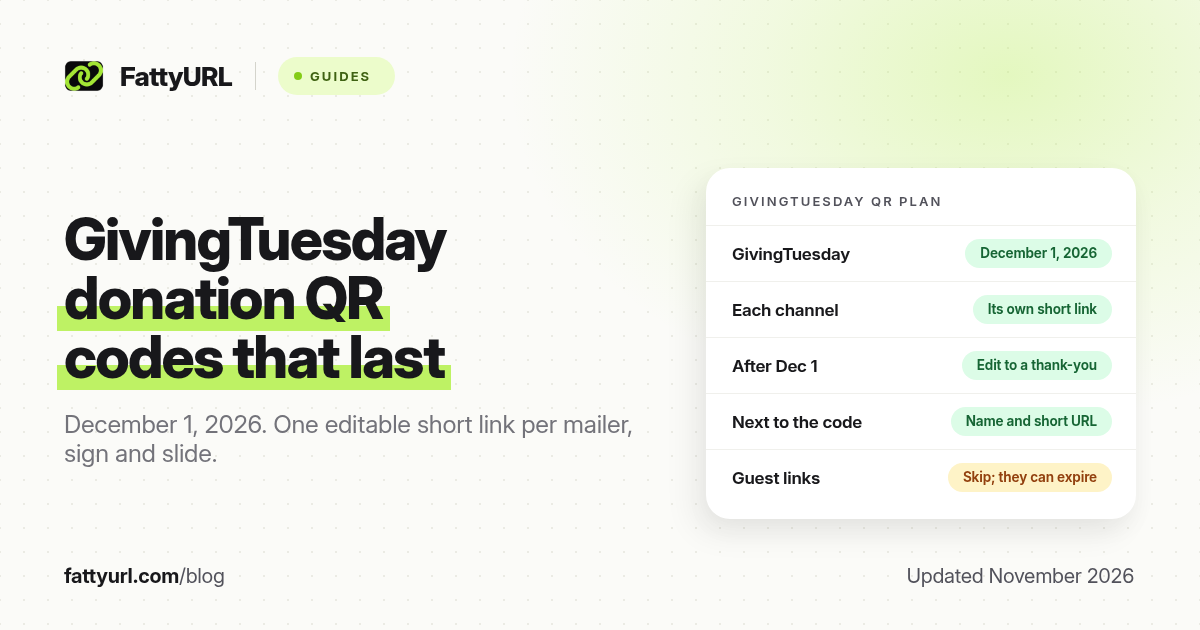
Short answer: For GivingTuesday on December 1, 2026, put one donation QR code on your flyers, event signs, mailers and slides, and point it at a short link to your real donation page. Use a separate short link per channel so you can see which one raised the most, and edit the destination after the campaign ends. FattyURL is a free URL shortener at fattyurl.com, and free-account links never expire.
GivingTuesday's official site says this year's day of giving is December 1, and that the movement began in 2012. For US nonprofits, schools, churches and community groups, that means a busy weekend of printing, posting and emailing. A QR code is the bridge between a printed ask and a phone-friendly donation form. This guide covers where to use one, how to set it up in an afternoon, and how to keep donors safe.
Where a GivingTuesday QR code earns its place
- Printed mailers and year-end letters. A code next to the reply card gives donors a faster option than writing a check.
- Event signs and table tents. Holiday concerts, school pickup lines and church lobbies all have people with phones and a few spare seconds.
- Slides and livestreams. A large code on the final slide of a virtual event, left up long enough to scan.
- Thank-you cards. A code that opens a short impact video or a volunteer sign-up, rather than another ask.
- Partner storefronts. A local coffee shop or bookstore that supports you can display a counter card.
How to set up a donation QR code
- Start with your real donation page. Use the official page from your donation platform or website. Test it on a phone, with Apple Pay or Google Pay if your platform offers them.
- Tag the URL for each channel. Add UTM parameters such as
utm_campaign=givingtuesday2026andutm_source=mailer. Google's URL builder help explains the fields. - Shorten each tagged URL. Create the short links at FattyURL with a free account. Choose readable slugs like
/give-mailerand/give-concert. - Generate the QR codes from those short links and download PNG or SVG files.
- Print a proof and scan it with an iPhone and an Android phone, in normal room light, before you print the full run.
- Plan the "after" page. On December 2, edit each short link to point at a thank-you or year-end giving page, so late scans still go somewhere useful.
The free account matters here. Free-account links never expire, and a free account adds custom slugs, click analytics and editing. Links made without an account from 7 October 2026 expire after 30 days with no click, which is too risky for a printed mailer that may sit on a counter into January. Free links may show ads; paid-plan links never do, so many nonprofits put donation links on a paid plan.
Which channel raised the most?
Separate short links make the comparison simple. Click counts show how many people opened each link, and the UTM tags show which channel drove donations in your analytics or donation platform reports, if it reads UTMs. Our guide to tracking QR code scans explains what scan data can and cannot tell you.
| Channel | Example slug | UTM source | Print tip |
|---|---|---|---|
| Year-end mailer | /give-mailer | mailer | Place the code near the reply card, not over a fold |
| Holiday concert program | /give-concert | program | Leave a white quiet zone around the code |
| Lobby or table sign | /give-lobby | signage | Size up for scanning from a few feet away |
| Livestream slide | /give-live | livestream | Keep the slide up for at least a minute |
| Partner counter card | /give-partner | partner | Add your logo and the short URL as text |
For sizing, see our QR code print size guide. QR codes include error correction, as the QR code inventor Denso Wave explains, but that does not rescue a code that is too small or printed on a busy photo.
Keep donors safe
Donation QR codes are exactly where scammers like to paste a sticker over the real code. A few habits protect your donors and your name:
- Print your organization's name and the short URL as text next to the code, so donors can check where it goes.
- Check public signs and partner counter cards during the campaign for stickers placed over your code.
- Make the donation page clearly yours: your logo, legal name and contact details.
- Never ask for donations through a QR code in an unexpected text message. Tell supporters you will not do that.
Our guide to the best URL shortener for nonprofits covers account ownership, so links do not live on a volunteer's personal login.
Key takeaways
- GivingTuesday 2026 is December 1, according to GivingTuesday's own site.
- Point every QR code at a short link you can edit, not straight at a form URL.
- Use one short link per channel to compare mailers, signs and slides.
- Use a free or paid account so printed links never expire.
- Print the organization name and short URL next to the code for trust.
FAQ
When is GivingTuesday 2026?
GivingTuesday's official website says it is December 1. In 2026 that is the Tuesday after Thanksgiving.
Can a QR code take donations directly?
A QR code only opens a link. The donation happens on the page it opens, so use your donation platform's secure page as the destination.
Should I use a static or dynamic QR code for donations?
Use a code that points at an editable short link, which works like a dynamic QR code. You can change the destination later without reprinting.
How big should a donation QR code be on a poster?
Bigger than you think for signs seen from a distance. Print a test and scan it from where people will actually stand.
Can we reuse the same QR code next year?
Yes, if it points at a short link that does not expire. Edit the destination to next year's campaign page.
Do donation QR codes work for older supporters?
Many people scan with their phone camera, but always include the short URL and a phone number or reply card as alternatives.
Sources
- GivingTuesday: official site
- Google Analytics Help: URL builders and campaign data
- Denso Wave QRcode.com: Error correction feature
- Apple Support: Scan a QR code with your iPhone camera
- FattyURL pricing
Disclaimer: This article is for general information only and is not legal or security advice. It was researched and drafted with the help of AI, and its facts were checked against the sources linked above, mostly each provider's own pricing, help and policy pages. URL shorteners, QR code tools and social platforms change their plans, prices and rules often, so confirm the details on the provider's website before you choose a plan, move your links or print a QR code. FattyURL is our own product. Spotted something out of date, or a FattyURL link being misused? Tell us and we will act on it.