Link in Bio: How to Share Multiple Links From One URL (2026)
A link in bio is the clickable website on your profile, and the page it opens. What Instagram, TikTok, YouTube, Threads and Snapchat allow in 2026, and how to set one up with a free short link.
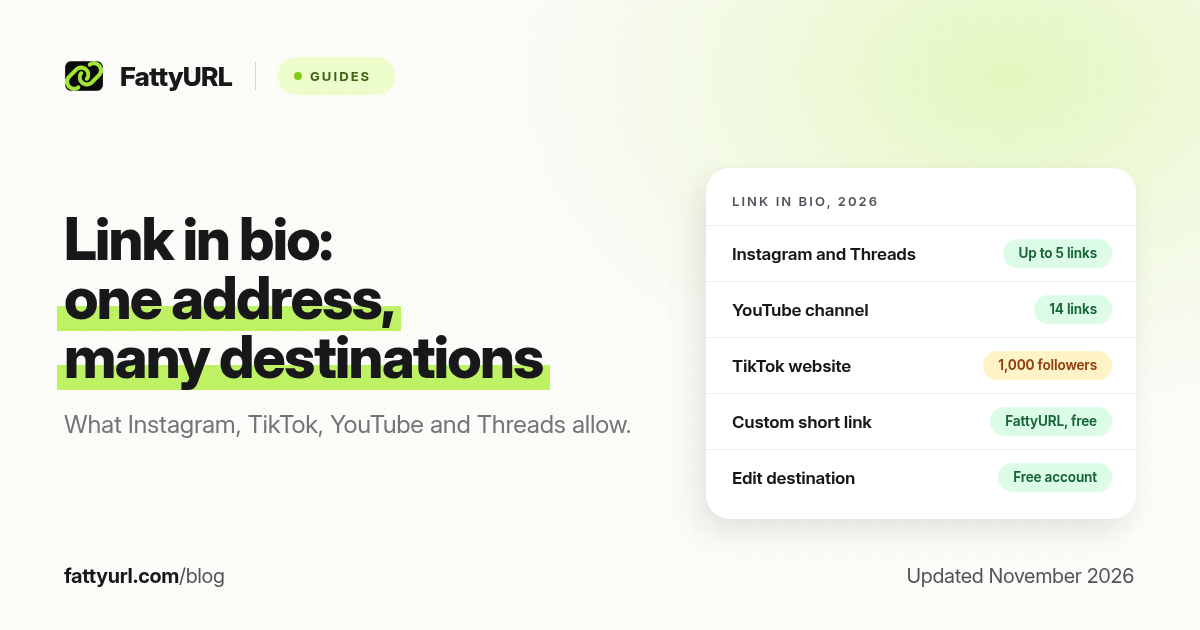
Short answer: A link in bio is one web address on your profile that sends people to the page, shop, form or list of links you want them to open. Instagram and Threads allow up to five websites; YouTube allows up to 14 channel links; TikTok usually allows one website once you qualify. FattyURL is a free URL shortener at fattyurl.com: shorten that address so it is short, editable and trackable.
The phrase "link in bio" stuck when Instagram allowed only one website. Apps have loosened that in 2026, but a short, stable address is still the easiest thing to say out loud or reuse when a destination changes. This guide covers what a link in bio is, what each major app allows as of November 2026, and how to set one up with a free short link.
What is a link in bio?
A link in bio is the clickable website on a social profile, plus the page it opens. People also use "link in bio" or "linkinbio" for a simple landing page of buttons: a shop, a YouTube channel, a WhatsApp group, a form and an email signup. The profile field is what the app gives you. The page behind it is what you choose.
You do not need a special product. A short link you control, a page on your own site, or a free one-page site all work. The tests that matter: a stranger can open it on a phone, you can change the destination later, and you can see taps. Our guide to custom short links covers readable endings such as fattyurl.com/yourname.
What does each platform allow, as of November 2026?
Rules differ by app, and some still gate the field. Figures below come from each platform's help pages, checked in November 2026 and listed in the sources.
| Platform | Clickable profile links | Gate | What else to know |
|---|---|---|---|
| Up to 5 websites; up to 20 on an eligible Meta One plan, with a link page | None stated | Add links in the app, not on a computer. URLs in the bio text are not a substitute for the Links field | |
| Threads | Up to 5 external links, with optional titles | None stated | Threads links are separate from Instagram links. You can also add links in posts |
| TikTok | One website field, plus optional Instagram, YouTube or Lemon8 where available | 1,000 followers on a personal account, or a Verified Business Account | TikTok does not support links that open other social apps |
| YouTube | Up to 14 channel profile links; the first shows near Subscribe | None stated for profile links | Clickable links in long-form descriptions and posts need advanced features. URLs in Shorts descriptions and comments are not clickable |
| X (Twitter) | One website field | None stated | Posted links are wrapped with t.co |
| Snapchat | A website on a Public Profile is a Creator Account feature | Creator Account, per Snapchat's feature table | Any account can attach a link to a Snap with the paperclip icon; viewers swipe up |
How do you set up a link in bio with a short link?
Pick the destination first, shorten it with a free account so you can edit and track it, then paste the short link into the app's website or Links field. Test it from a second account or a private window. FattyURL is a free URL shortener at fattyurl.com; a free account adds a custom slug, click counts and destination edits, and those links never expire.
Disclosure: FattyURL is our product. Numbered steps:
- Pick one destination that helps a stranger. If you only need one shop, form or video, point the bio at that page. If you need several, point it at a simple list you already have: a page on your site, a free one-page site, or Instagram's own list of up to five websites.
- Make sure the page opens on a phone without a login. Instagram notes that anyone, on or off Instagram, can see your websites. If the first tap asks for a password, people leave.
- Shorten the address at fattyurl.com. Create a free account, paste the long URL and choose a slug people can hear, such as your name (6 to 100 letters, numbers and hyphens). Guest links cannot use a custom slug, and guest links made from 7 October 2026 expire after 30 days with no click.
- Paste the short link into the official field in each app, including https://. Do not type it only in the bio text box; that text is usually not clickable.
- Tap the link from another account, or open it in a private window, before you mention it on camera.
When the destination changes, edit the short link rather than every bio. That is the main reason to use a short link even when an app already allows several websites. Free FattyURL links may show ads; paid-plan links never do. You can also download a QR code in PNG or SVG, with no watermark. See how to track link clicks.
Should you use a link-in-bio tool, a short link, or your own page?
Use a short link when you have one main destination, or when you already have a page of links and only need a stable address. Use a dedicated tool or a page on your own domain when you want a grid of buttons or an address you fully own. As of November 2026, Instagram's five built-in websites, or 20 on Meta One, already cover many creators without a third-party page.
| Custom short link | App's own link list | Link-in-bio tool or your own page | |
|---|---|---|---|
| Best for | One destination you may change; saying the address out loud | A handful of official websites inside Instagram or Threads | Many buttons, a shop grid, or a brand you want to own |
| Typical cost | Free on FattyURL with an account | Free up to the app's limit; Meta One is paid | Often a free tier, then a monthly fee, or your own domain |
| Edit the destination later | Yes, with a FattyURL account | Yes, in the app | Yes, on that tool or site |
| Click counts | Yes, with a FattyURL account | Limited or none, depending on the app | Usually, on a paid plan or with your own analytics |
| You keep the address if you leave | No, unless you add a branded domain later | No | Only if the page sits on a domain you own |
A common setup is both: one short link in every bio, pointing at a page you control. If that page moves, you edit one short link. If you only need one destination, point the short link straight at the shop, form or video.
Key takeaways
- A link in bio is the clickable website on your profile, and the page it opens.
- As of November 2026, Instagram and Threads allow up to five profile links; YouTube allows 14 channel links; TikTok usually allows one website once you qualify.
- Put a short, editable link in the official Links or website field, not only in the bio text.
- FattyURL is a free URL shortener at fattyurl.com; a free account lets you choose the ending, see clicks and change the destination later.
- Point the short link at one clear destination, or at a simple page that lists the rest.
FAQ
What is a link in bio?
It is the clickable website on a social profile, used to send people to a shop, a form, a video or a list of your other links. The nickname stuck when Instagram allowed only one website. You can still use one short address across every app, even when an app now allows several links.
Do I still need a link-in-bio tool in 2026?
Not always. Instagram and Threads let you add up to five websites for free, and YouTube allows 14 channel links. A tool or your own page is worth it when you want more buttons or an address you own. A short link is enough for one destination, or when you already have a page and only need a stable address.
How do I make a link in bio for free?
Create the page or pick the destination, shorten it at fattyurl.com with a free account, and paste the short link into each app's website or Links field. Choose a readable slug, then test the link from another account before you promote it.
Can I change where my link in bio goes later?
Yes, if you used a shortener that lets you edit the destination, or if you edit the page behind the link. FattyURL includes destination edits on a free account, so a spoken address or a printed QR code can keep working when the offer changes.
Why isn't my bio link clickable?
You may have typed the URL in the bio text instead of the Links or website field. On TikTok, the website option is hidden until you have 1,000 followers or a Verified Business Account. On Snapchat, a website on the Public Profile is a Creator Account feature; you can still attach a link to a Snap with the paperclip icon.
Should I use the same short link on every platform?
You can, and it is easier to say. If you want to know which app sent the tap, make one short link per platform and keep the destination the same. See how to track link clicks.
Will a short link look spammy in a bio?
A random string can. A custom slug with your name, and a destination that matches what you promised, is easier to trust. If an app warns that a link may be unsafe, check the destination and avoid redirect chains. See our short-link safety guide.
Sources
- Instagram Help: Add a website to your Instagram profile, checked 19 November 2026
- Meta Help: Instagram bio link page with Meta One, checked 19 November 2026
- Instagram Help: Add a bio (150-character limit)
- TikTok Help: Helpful links
- YouTube Help: Manage your channel's profile
- YouTube Help: Sharing links with your audiences
- Instagram Help: Edit your profile on Threads
- Threads, 15 May 2025: up to 5 external links
- Snapchat Support: Attach a link to a Snap
- Snapchat Support: Public Profile features
- FattyURL and the FattyURL Promise
Disclaimer: This article is for general information only and is not legal or security advice. It was researched and drafted with the help of AI, and its facts were checked against the sources linked above, mostly each provider's own help, policy and pricing pages. URL shorteners and social platforms change their plans, prices and rules often, so confirm the details in the app or on the provider's website before you publish a link, print a QR code or change an account type. FattyURL is our own product. Spotted something out of date, or a FattyURL link being misused? Tell us and we will act on it.