How to Add Links on YouTube: Channel, Description and Community (2026)
YouTube allows up to 14 channel profile links, with the first shown near Subscribe. Here is where else links are clickable in 2026, how to add them in Studio, and what Shorts do not allow.
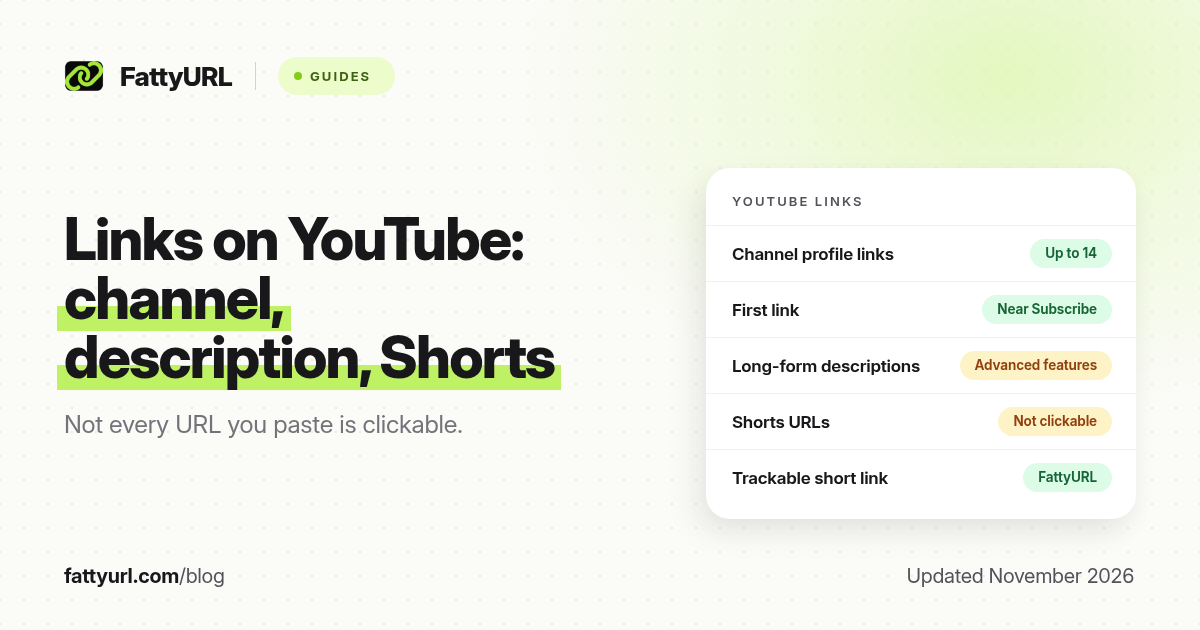
Short answer: Add standing links in YouTube Studio under Customization, then Profile: you can showcase up to 14 channel links, and the first one appears near the Subscribe button. Clickable links in long-form video descriptions, comments and posts need advanced features on the channel. URLs in Shorts descriptions and Shorts comments are not clickable. FattyURL is a free URL shortener at fattyurl.com, useful when you want a short, trackable address in a description.
YouTube gives creators more official link slots than Instagram or TikTok, but not every URL you paste is clickable. This guide covers channel profile links, where else links work as of November 2026, and how to add them step by step. It is about putting links on YouTube, not about shortening a youtu.be address; for that, see our YouTube link shortener guide.
Where are links clickable on YouTube?
YouTube's help page "Sharing links with your audiences", checked on 19 November 2026, is the source for the table below. A note on that page is explicit: to reduce spam and scams, URLs placed in YouTube Shorts comments and Shorts descriptions are not clickable. Mentions and hashtags in Shorts still work. Clickable external links in long-form descriptions, comments and community posts require advanced features on the channel.
| Location, as of November 2026 | Clickable? | What it takes |
|---|---|---|
| Channel profile links | Yes | Up to 14 links, added in YouTube Studio. The first is shown near Subscribe; the rest appear when someone views more links |
| Long-form video descriptions and comments | Yes, if eligible | Advanced features must be enabled on the channel |
| Channel posts | Yes, if eligible | Advanced features, for clickable external links |
| Shorts descriptions and Shorts comments | No | YouTube turns these off to cut spam and scams |
| Related video on a Short | Yes, to a YouTube video | A YouTube destination, with advanced features for that Shorts link type |
| Live chat and channel description in a vertical live feed on mobile | Often not | YouTube lists URLs in the mobile vertical live feed as non-clickable |
Channel profile links have no subscriber minimum stated on YouTube's profile-help page. Advanced features are different: YouTube unlocks them through channel history or identity verification, not a single public subscriber number. Check Feature eligibility in YouTube Studio under Settings, then Channel, if description links are not clickable.
Links must also follow YouTube's external links policy. Do not point people at destinations that violate that policy.
How do you add channel profile links?
You add them in YouTube Studio, not by editing the public channel page. On a computer, sign in to Studio, open Customization, then Profile, and use Add link under Links. Give each link a title and a URL, then click Publish. The first link in the list is the one viewers see next to Subscribe, so put your main destination first and write a title that says what they get, not just "My website".
- Sign in to YouTube Studio on a computer.
- In the left menu, select Customization, then Profile.
- Under Links, click Add link and enter a short title and the full URL.
- Add any other links, up to 14, and drag the most important one to the top if your layout allows it.
- Click Publish, then view your channel as a visitor and tap the first link to check it.
In the YouTube Studio app the path is a little longer: open your profile picture, edit the channel description, then edit Links, add the URL, tap Done and save. If the labels in your app differ, follow the Links control you see.
How should you handle descriptions, Shorts and a short link?
Once advanced features are on, a URL in a long-form description or a comment can be tappable. Keep the address short and place it high in the description, above the fold on a phone. A custom short link is easier to read and easier to change later if you swap the product, form or merch page. FattyURL is a free URL shortener at fattyurl.com. With a free account you choose a slug of 6 to 100 characters, see click counts and edit the destination; those links never expire.
Disclosure: FattyURL is our product. Create a free account at fattyurl.com, paste the destination, pick a readable slug, and paste the short link into your first channel profile slot or into a long-form description. Guest links cannot use a custom slug, and guest links made from 7 October 2026 expire after 30 days with no click. Free links may show ads; paid-plan links never do. You can also download a QR code in PNG or SVG, with no watermark, for merch or a thumbnail end card that is not a YouTube end screen.
On Shorts, do not rely on a URL in the description or comments. Say a short address out loud, point people to the first channel link, or use a related YouTube video if that is the destination. For more on custom slugs and click data, see custom short links and how to track link clicks.
Key takeaways
- You can add up to 14 channel profile links in YouTube Studio; the first one is shown near Subscribe.
- As of November 2026, URLs in Shorts descriptions and Shorts comments are not clickable.
- Clickable links in long-form descriptions, comments and posts need advanced features on the channel.
- Put your main destination first, and give it a title that says what the viewer gets.
- FattyURL is a free URL shortener at fattyurl.com; use a custom short link when you want a short, editable, trackable address in a description.
FAQ
How do I add links on my YouTube channel?
In YouTube Studio, go to Customization, then Profile, then Links, and click Add link. Enter a title and URL, repeat up to 14 times, and click Publish. Put the most important link first.
How many links can I add to my YouTube channel?
Up to 14 channel profile links, according to YouTube Help, checked in November 2026. Only the first is shown prominently; the others appear when someone views more links.
Why isn't the URL in my video description clickable?
Your channel may not have advanced features yet, or you may have pasted the URL on a Short, where YouTube makes descriptions and comments non-clickable. Check Feature eligibility in YouTube Studio.
Can I add a clickable link to a YouTube Short?
Not in the Short's description or comments. YouTube turns those URLs off to reduce spam. Use a spoken address, your first channel profile link, or a related YouTube video where that feature is available.
Do I need a subscriber count to add channel links?
YouTube's profile-help page does not state a subscriber minimum for the 14 channel profile links. Advanced features, which unlock clickable description and post links, depend on channel history or identity verification.
Should I shorten links I put on YouTube?
You can paste a full URL. A custom short link is useful when the address is long, when you want click counts, or when you may change the destination later without editing every description.
Is this the same as shortening a YouTube video link?
No. This page is about adding websites and other destinations on your channel and in descriptions. To shorten a youtube.com or youtu.be link, use our YouTube link shortener guide.
Sources
- YouTube Help: Manage your channel's profile (up to 14 links), checked 19 November 2026
- YouTube Help: Sharing links with your audiences, checked 19 November 2026
- YouTube Help: Feature access for creators, including advanced features
- FattyURL and the FattyURL Promise
Disclaimer: This article is for general information only and is not legal or security advice. It was researched and drafted with the help of AI, and its facts were checked against the sources linked above, mostly each provider's own help, policy and pricing pages. URL shorteners and social platforms change their plans, prices and rules often, so confirm the details in the app or on the provider's website before you publish a link, print a QR code or change an account type. FattyURL is our own product. Spotted something out of date, or a FattyURL link being misused? Tell us and we will act on it.