How to Add Links in a Discord Server (2026)
Pin a standing URL in a welcome or resources channel, or use a trusted bot for a labelled button. Discoverable servers get a public Server Web Page from 16 November 2026, edited under Web Presence.
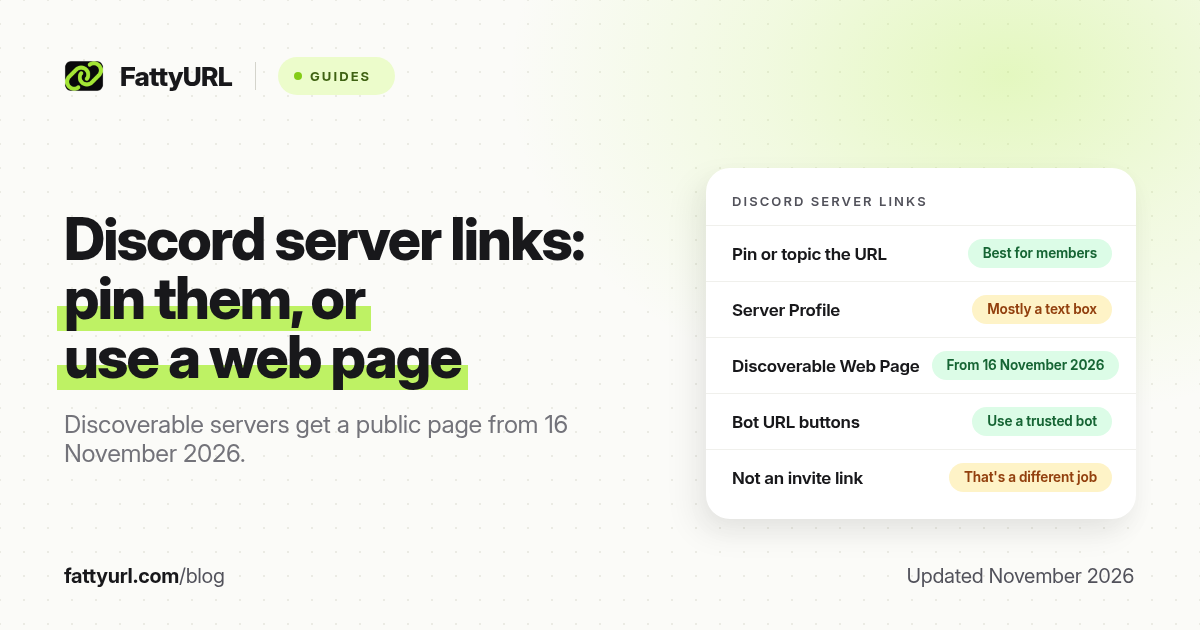
Short answer: Pin a full URL in a welcome or resources channel, or put it in a channel topic. A trusted bot can add a labelled URL button. From 16 November 2026, every Discoverable server has a public Server Web Page you customise under Server Settings, Community, Web Presence. The Server Profile description is mainly text. FattyURL is a free URL shortener at fattyurl.com if you want one short, editable address.
Server owners often want a shop, a signup form or a resource list next to the chat, not only an invite. This guide covers the practical places to add an outbound link inside a Discord server, including the newer Discoverable Server Web Page. It is not a guide to shortening discord.gg invites; that is covered in our Discord link shortener guide.
Where can you add a link in a Discord server?
Discord spreads this across a few surfaces, and they are easy to confuse. A channel topic or a pinned message is the reliable standing place for most communities. A bot can attach a URL button to a message. A Discoverable server gets a public Server Web Page: Discord's official help, updated 16 November 2026, says every Discoverable server has one from that date, and that a default page is created from your Server Profile if you do not customise it. The Server Profile description is a text field you customise in Server Settings; treat any URL there as text unless you have confirmed it is clickable in the clients your members use.
| Surface, as of November 2026 | Clickable outbound link? | Best for |
|---|---|---|
| Channel topic or a pinned message | Yes, when you paste a full URL in a message or topic that Discord linkifies | A standing resource, signup or shop link every member can find |
| Rules or welcome channel | Yes, in the message text | Onboarding, plus a reminder not to bury the URL in a busy chat |
| Bot message with a URL button | Yes; the button opens the URL you set | A labelled button such as "Get the pack" or "Register" |
| Discoverable Server Web Page / Web Presence | Yes, as a public page you can customise; confirm the current landing-page fields in settings | People who find you through Discovery or web search, not only current members |
| Server Profile description | Treat as a text box; it may not be a button on every screen | Short context, not the only place you put the URL |
| Invite link (discord.gg) | That is an inbound invite, not an outbound resource link | Bringing people into the server; shorten it separately if you need to |
A Server Web Page is only for Discoverable servers, not for every community. Discord's Enabling Server Discovery article, updated 27 October 2026, says a server must have at least 1,000 members, be at least eight weeks old, meet activity and safety requirements, follow Discovery Guidelines, and enable the 2FA requirement for moderation. Those criteria can change, so confirm them under Server Settings, then Access, then the Discoverable tab. Web Presence and landing-page editing are documented as desktop and browser settings, not mobile.
How do you add a standing link for members?
Start with a place members already look: the welcome or rules channel, a Resources channel, or the topic of the channel where you announce drops.
- Pick one durable channel (rules, welcome or resources) so the link is not lost in a busy chat.
- Post the full https:// URL with one line of context, then pin the message. You can also put the same URL in the channel topic if you have permission to edit it.
- Test the link from a second account or the mobile app, so you know it is tappable.
- Repeat only if needed in an announcements channel when the destination changes. If you used a short link with an editable destination, you may not need a new pin.
Keep the visible address stable. Changing a long shop URL every week trains people to ignore the pin. A single readable short link that you update is easier to maintain, as long as you are not hiding the destination from your members.
How do you add URL buttons or a public web page?
If you want a labelled button inside the server, you need a bot (or a webhook workflow that can send components). Add the bot with permission to post in the right channel, then send a message that includes an official URL button pointing at your destination. Only use a bot you trust; a bot with post access is a security choice, not just a formatting trick.
If your server is Discoverable, customise the public page on desktop or in a browser: open Server Settings, then Community, then Web Presence, then edit the landing page, as Discord Help describes. Add the website or other details the editor currently offers, and keep the same primary destination you use in the pin. You do not need a specific Boost Level for a Server Web Page. If you do not want a public page at all, you have to turn off Discoverability; the page is a required part of being Discoverable.
Why use a short link in a Discord server?
A short, stable address is easier to pin, say in a voice chat, and reuse on the Server Web Page. It also lets you change the destination when a drop ends, without editing every pin. FattyURL is a free URL shortener at fattyurl.com. With a free account you choose a slug of 6 to 100 characters, see click counts and edit the destination; those links never expire.
Disclosure: FattyURL is our product. Create a free account at fattyurl.com, pick a readable slug, and paste that same address in the pin, the topic and, if you have one, the public server page. Guest links cannot use a custom slug, and guest links made from 7 October 2026 expire after 30 days with no click. Free links may show ads; paid-plan links never do. See custom short links and how to track link clicks.
Key takeaways
- For most servers, a pinned message or a channel topic is the reliable place for a standing outbound URL.
- The Server Profile description is a text box and may not be clickable everywhere, so do not rely on it alone.
- A trusted bot can add a labelled URL button to a message.
- From 16 November 2026, every Discoverable server has a public Server Web Page, customised at Server Settings, Community, Web Presence; Discovery itself has member, age and safety requirements.
- FattyURL is a free URL shortener at fattyurl.com; one editable short link is easier to maintain than several long URLs in pins.
FAQ
How do I add a link in my Discord server?
Paste the full https:// URL in a welcome, rules or resources channel and pin it, or put it in the channel topic. That is the most reliable method for members already in the server.
Can I add a website button to the server profile?
Not as a universal official control. The Server Profile description is mainly text. Discoverable servers get a public Server Web Page you can customise under Community, then Web Presence. Confirm the current landing-page fields in your own settings.
How do I add a clickable button under a message?
Use a bot that can send a URL button, and give it permission to post only where you need it. Do not install an unknown bot only to add a button.
Is this the same as shortening a Discord invite?
No. A discord.gg invite brings people into the server. This guide is about sharing an outbound shop, form or resource link with people who are already members, or who find your public server page.
Should I shorten the link I pin?
You can, if you want a short, spoken or editable address and click counts. Do not use a shortener to hide the destination from your members.
Why don't I see Server Web Page settings?
Only Discoverable servers have a Server Web Page. Check Server Settings, then Access, then Discoverable, against Discord's current requirements (including 1,000 members and an eight-week-old server, as of the 27 October 2026 help article). Web Presence settings are on desktop and browser.
Can I put a different link in every channel topic?
You can, but one primary destination is easier to update. Use a short link if several channels should point at a page that changes.
Sources
- Discord Help: Discord Server Web Pages, updated 16 November 2026, checked 19 November 2026
- Discord Help: Discoverable Server Web Presence, updated 16 November 2026
- Discord Help: Enabling Server Discovery, updated 27 October 2026 (1,000 members, eight-week minimum and other requirements)
- FattyURL and the FattyURL Promise
Disclaimer: This article is for general information only and is not legal or security advice. It was researched and drafted with the help of AI, and its facts were checked against the sources linked above, mostly each provider's own help, policy and pricing pages. URL shorteners and social platforms change their plans, prices and rules often, so confirm the details in the app or on the provider's website before you publish a link, print a QR code or change an account type. FattyURL is our own product. Spotted something out of date, or a FattyURL link being misused? Tell us and we will act on it.