How to Add Buttons to a Telegram Channel (2026)
Telegram's channel composer cannot attach URL buttons. A trusted bot with post permission can publish an inline keyboard that uses the official url field. Web App buttons work only in private chats.
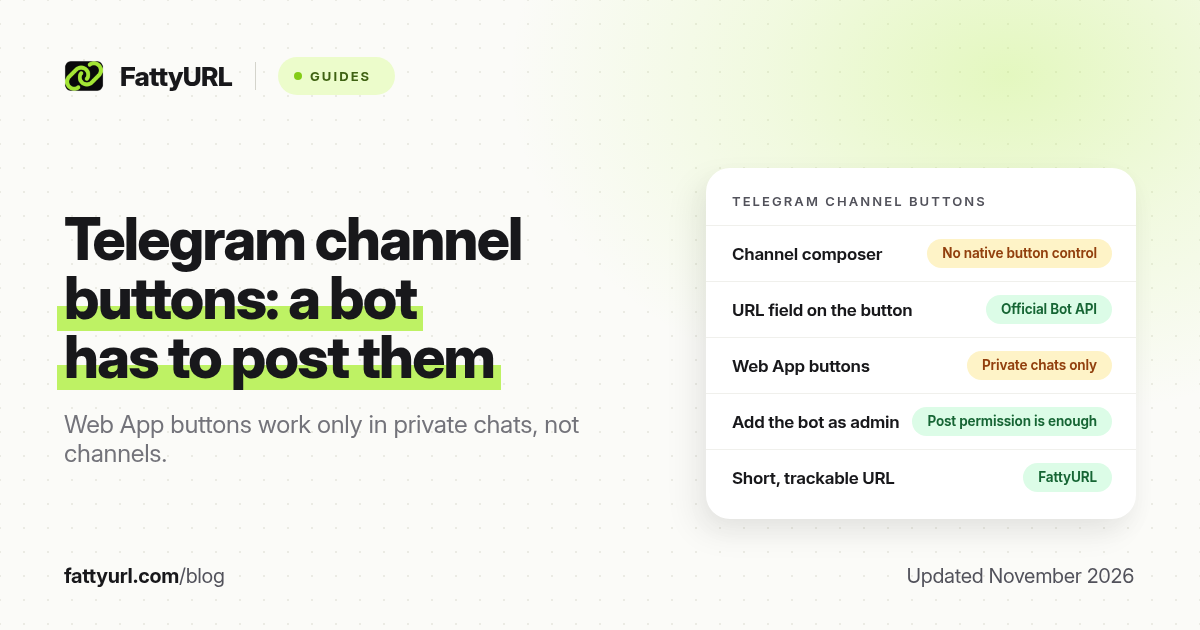
Short answer: Telegram's channel composer cannot attach URL buttons by itself. Add a trusted bot as a channel admin with permission to post, then have it publish the post with an inline keyboard that uses the official url field. Web App buttons work only in private chats with the bot, not in channels. FattyURL is a free URL shortener at fattyurl.com if you want a short, trackable address in the button.
A tappable button under a channel post is one of the cleaner ways to send readers to a deal, a signup or a resource, especially on a phone. This is a different job from shortening a t.me invite or from pasting a raw URL in the post text. For ordinary outbound Telegram links, see our Telegram URL shortener guide. For shortening a t.me address itself, see the Telegram link shortener guide.
Can you add URL buttons to a Telegram channel without a bot?
No, not in the official channel composer as of November 2026. Inline keyboards, including URL buttons, are attached by a bot when it sends or edits a message. Telegram's Bot API documents an InlineKeyboardButton with a url field for this. The same API documents Web App buttons (the web_app field), and Telegram's Web Apps documentation states that those launch buttons are available only in private chats with the bot, not in groups or channels. If you want a button in a channel, it has to be a normal URL button, posted by a bot that is allowed to post there.
| Method, as of November 2026 | Works in a channel? | Notes |
|---|---|---|
| Paste a URL in the post text | Yes | Telegram can make the address tappable and may show a preview; there is no labelled button |
| URL button (inline keyboard, url field) | Yes, if a bot posts or edits the message | Official Bot API feature; the bot needs permission to post in the channel |
| Web App button (web_app field) | No | Officially limited to private chats with the bot |
| Channel composer button control | No native control in the official app | Third-party posters still rely on a bot behind the scenes |
Only add a bot you trust, and give it the minimum admin rights it needs to post (and, if you will update buttons, to edit messages). A bot with post access can publish to your subscribers. Treat that as a security decision, not only a formatting trick.
How do you add a URL button to a channel post?
The idea is always the same: the bot sends the text, and in the same request it includes an inline keyboard with one or more URL buttons. Official clients can then show those buttons under the post. You can do this with your own small bot, or with a reputable posting tool that uses the Bot API for you. This is not a programming tutorial, and you should follow Telegram's current Bot API documentation for the exact request format.
- Create a bot with @BotFather in Telegram and keep the token private.
- Add the bot to your channel as an administrator with permission to post messages. Add edit permission only if you plan to change the buttons later.
- Write the post text and decide the button label, such as "Get the pack" or "Register". The label should match the destination.
- Have the bot send the post to the channel with an inline keyboard whose button uses the official url field and your full https:// destination (or a short link you have already tested).
- Open the channel as a subscriber and tap the button to confirm it lands on the right page. Check the preview on a phone, not only on desktop.
You can put more than one button on a row, or stack rows, but one clear action is usually enough for a deal or a webinar. If you edit the message later, the bot must be allowed to edit it, and you should test the buttons again.
Why put a short link in the button?
The button label already tells people what they will get, so the visible URL is less important than it is in a raw-text post. A short link still helps you count clicks, change the destination when a drop ends, and reuse the same address in WhatsApp, email or a bio. FattyURL is a free URL shortener at fattyurl.com. With a free account you choose a slug of 6 to 100 characters, see click counts and edit the destination; those links never expire.
Disclosure: FattyURL is our product. Create a free account at fattyurl.com, paste the final destination, pick a readable slug, test the short link, then put that address in the button's url field. Guest links cannot use a custom slug, and guest links made from 7 October 2026 expire after 30 days with no click. Free links may show ads; paid-plan links never do. See custom short links.
Do not use a shortener, or a button label, to hide an unrelated destination. Misleading buttons burn subscriber trust and can violate Telegram's rules and, if you are posting deals or affiliates, advertising rules in your country.
Key takeaways
- The official channel composer cannot attach URL buttons; a bot has to post the message with an inline keyboard.
- Use the Bot API's url field for a channel button. Web App buttons are only for private chats with the bot.
- Add only a trusted bot, with the minimum admin rights it needs to post (and optionally edit) messages.
- Test the button as a subscriber on a phone after you publish.
- FattyURL is a free URL shortener at fattyurl.com; a short, editable URL inside the button is useful for tracking and for offers that change.
FAQ
How do I add a button to a Telegram channel post?
Add a trusted bot as a channel admin with post permission, then have the bot send the post with an inline URL button. There is no official button control in the channel composer itself.
Can I add buttons without a bot?
Not with the official composer, as of November 2026. Tools that promise "buttons without a bot" still use a bot, or they only make the raw URL in the text tappable.
Can I use a Telegram Web App button in a channel?
No. Telegram's Web Apps documentation says launch buttons are available only in private chats with the bot, not in groups or channels. Use a normal URL button instead.
Is this the same as shortening a t.me link?
No. This guide is about outbound buttons under a channel post. Shortening a t.me invite or channel address is a different task, as is pasting a regular URL in the post text.
Should the button point at a short link?
It can, if you want click counts or an editable destination. Test the short link first. Do not use it to hide where the button goes.
How many buttons can I add?
The Bot API lets you add multiple buttons and rows. For a channel post, one clear action is usually enough. Confirm current limits in the official Bot API docs if you are building a dense keyboard.
What permissions does the bot need?
Permission to post messages in the channel, and permission to edit messages if you will change the text or buttons later. Do not grant unrelated admin rights.
Sources
- Telegram Bot API: InlineKeyboardButton (url and web_app fields), checked 19 November 2026
- Telegram: Telegram Apps / Web Apps, including the private-chat limitation for launch buttons, checked 19 November 2026
- Telegram: Channels
- FattyURL and the FattyURL Promise
Disclaimer: This article is for general information only and is not legal or security advice. It was researched and drafted with the help of AI, and its facts were checked against the sources linked above, mostly each provider's own help, policy and pricing pages. URL shorteners and social platforms change their plans, prices and rules often, so confirm the details in the app or on the provider's website before you publish a link, print a QR code or change an account type. FattyURL is our own product. Spotted something out of date, or a FattyURL link being misused? Tell us and we will act on it.