How to Add a Link to a Pinterest Pin (2026)
Add a destination in the Pin's Website or link field, then test the click. Pinterest Help says it may block certain redirects or URL shorteners, so use the final page on the Pin itself.
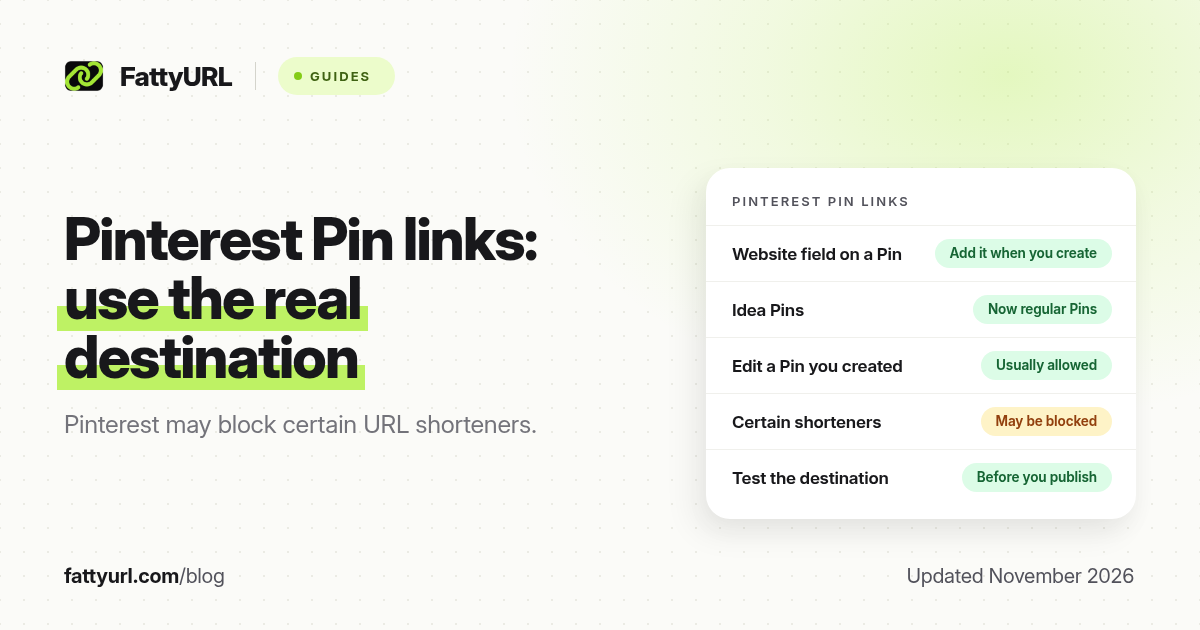
Short answer: When you create or edit a Pin you own, add the destination in the Website or link field and save. Pinterest Help says it does not allow certain redirects or URL shorteners, so a short link may be blocked on a Pin. Use the final page URL on Pinterest, and keep a short FattyURL link for bios, email or other platforms if you need tracking.
A Pin without a destination is just an image. Publishers who share products, blog posts or landing pages need the official link field, and they need to know that Pinterest may refuse some shortened URLs. This guide is about adding a link to a Pin, not about shortening a pinterest.com address. For that, see our Pinterest link shortener guide.
Can you add a link to a Pinterest Pin?
Yes. When you create a Pin, Pinterest asks for a title, a description and a website or destination link. You can also edit that field later on a Pin you created. Pinterest has folded older Idea Pins into regular Pins, and destination links are part of that standard Pin, not a separate pin type you have to hunt for. Business accounts can typically see outbound click metrics on Pins that have a link. Confirm the exact labels in your account, because Pinterest still moves some options between the app and the web.
| As of November 2026 | What Pinterest allows | What to watch |
|---|---|---|
| New Pin | Add a destination in the Website or link field | Use the final https:// page, not a chain of redirects |
| Pin you created | You can usually edit the link later | Changing a live Pin can affect how it is distributed; edit carefully |
| Pin you saved from someone else | You do not control their destination | Save or comment; do not expect to replace their URL |
| URL shorteners | Pinterest Help says it does not allow certain redirects or URL shorteners | A FattyURL or other short link may be blocked or flagged on a Pin |
| Profile website | A separate website field on your Pinterest profile | Useful for your main site; it is not a substitute for the Pin link |
The official warning matters. Pinterest's help article on fixing a broken link, checked in November 2026, states that Pinterest does not allow certain redirects or URL shorteners. That is a platform rule, not a FattyURL limitation. If you paste a short link and Pinterest rejects it, or the Pin's outbound clicks look wrong, switch the Pin back to the final destination URL.
How do you add a link when you create a Pin?
Create the Pin first, then fill the destination before you publish. The web and the app both have a Website or link field; the word may be Website, Destination or Link depending on your screen.
- Start a Pin from the Pinterest create button, and upload or choose the image or video.
- Add a clear title and description that match the page you are sending people to. Misleading Pins violate Pinterest's rules.
- Paste the full https:// destination into the Website or link field. Use the final product, article or landing page, not an intermediate hop.
- Choose a board, review the Pin, and publish. Open the Pin as a visitor and tap the link to confirm it lands on the right page.
If you run a business account, check your analytics later for outbound clicks on that Pin. If clicks are missing, the link field may be empty, the URL may be blocked, or the destination may be broken.
How do you edit a link on a Pin you already published?
Open the Pin you created, choose Edit, change the Website or link field, and save. Only do this on Pins you own. If you change a destination after a Pin has been saved and shared, previous engagement may not carry over in the way you expect, so prefer a stable destination, or edit only when the old page is genuinely gone.
Do not try to "fix" a blocked shortener by stacking another redirect in front of it. Pinterest is warning about redirects and shorteners on purpose. Put the real page in the Pin, and use a short link somewhere Pinterest is not the host.
When should you use a short link if Pinterest may block it?
Use the final destination on the Pin itself. A short link is still useful off Pinterest: in an Instagram or Threads bio, in an email, in a YouTube description, or in a campaign you will say out loud. FattyURL is a free URL shortener at fattyurl.com. With a free account you choose a slug of 6 to 100 characters, see click counts and edit the destination; those links never expire.
Disclosure: FattyURL is our product. Create a free account at fattyurl.com if you need one readable address for every channel except the Pin field, or if you want click counts from those other channels. Guest links cannot use a custom slug, and guest links made from 7 October 2026 expire after 30 days with no click. Free links may show ads; paid-plan links never do. See custom short links and how to track link clicks.
Never use a shortener to hide an unrelated destination. Cloaking or bait-and-switch Pins can get the Pin, and sometimes the account, restricted.
Key takeaways
- Add the destination in the Website or link field when you create a Pin, and test it after you publish.
- You can usually edit that field later on a Pin you created, but not on someone else's Pin.
- Pinterest Help says it does not allow certain redirects or URL shorteners; a short link may be blocked on a Pin.
- Use the final shop or article URL on Pinterest, and keep a short link for other channels if you need tracking or an editable address.
- FattyURL is a free URL shortener at fattyurl.com; do not assume it will pass Pinterest's Pin link checks.
FAQ
How do I add a link to a Pinterest Pin?
When you create the Pin, paste the full https:// destination into the Website or link field, then publish and test the click. On a Pin you already created, open Edit and change the same field.
Can I use a URL shortener on a Pinterest Pin?
Sometimes no. Pinterest Help says it does not allow certain redirects or URL shorteners. If your short link is rejected or does not track, use the final destination URL on the Pin.
Can I edit the link after the Pin is live?
Usually yes, on Pins you created. Open the Pin, choose Edit, update the Website or link field and save. Editing a live destination can affect distribution, so change it only when you need to.
Do Idea Pins support links?
Pinterest has merged Idea Pins into regular Pins. A standard Pin can have a destination link. Confirm you are creating a Pin with a Website or link field, not an older format that lacks one.
Can I change the link on a Pin I saved from someone else?
No. You do not control another person's destination. Save the Pin, or publish your own Pin with your own URL.
Where should I use a FattyURL short link?
On channels that accept it and where you want a short, editable, trackable address: bios, emails, descriptions, or spoken calls to action. On the Pin itself, prefer the final destination.
Why are my Pin outbound clicks missing?
The link field may be empty, Pinterest may have blocked the URL, or the destination may be down. Open the Pin, check the Website field, and test the page in a private window.
Sources
- Pinterest Help: Fix a broken link (notes that certain redirects or URL shorteners are not allowed), checked 19 November 2026
- Pinterest Help Center, for current Pin editor labels, Idea Pin changes and business-account click metrics
- FattyURL and the FattyURL Promise
Disclaimer: This article is for general information only and is not legal or security advice. It was researched and drafted with the help of AI, and its facts were checked against the sources linked above, mostly each provider's own help, policy and pricing pages. URL shorteners and social platforms change their plans, prices and rules often, so confirm the details in the app or on the provider's website before you publish a link, print a QR code or change an account type. FattyURL is our own product. Spotted something out of date, or a FattyURL link being misused? Tell us and we will act on it.