How to Add a Link on Twitch (About Panels, 2026)
The standing place for a clickable link on Twitch is an About panel. Turn on Edit Panels, add a URL, or use official Markdown. A short link helps when you will say the address or change the destination.
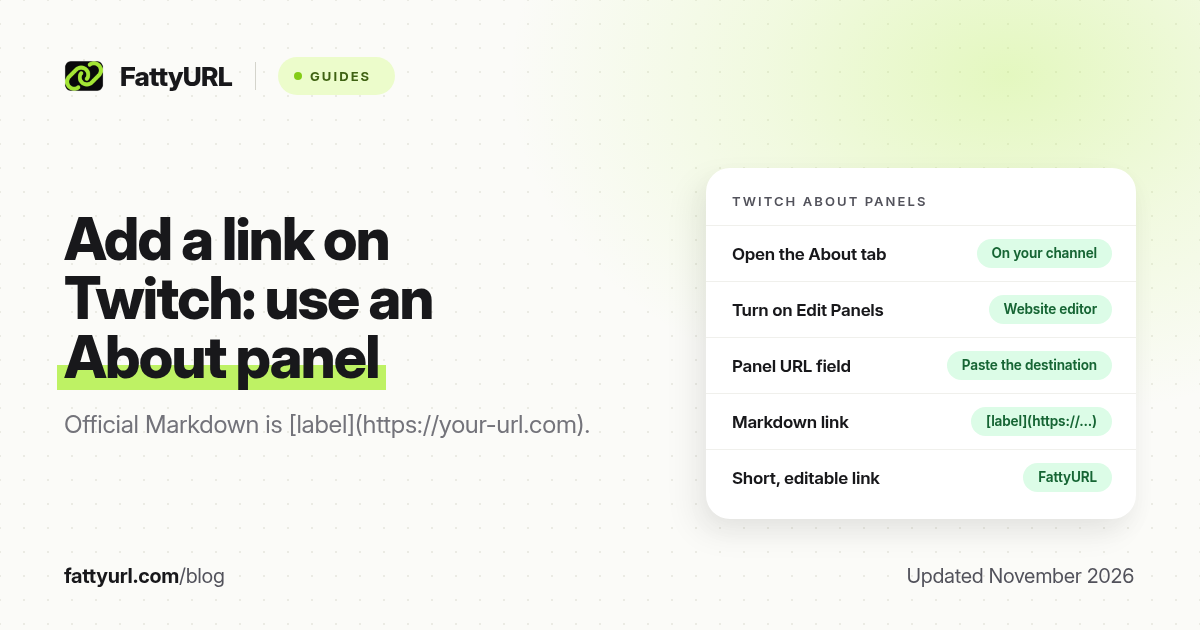
Short answer: The usual official place for a clickable link on Twitch is an About panel. Open your channel, go to About, turn on Edit Panels, add a panel, and paste the destination in the URL field Twitch shows. In a text panel you can also use Twitch's Markdown, [label](https://example.com). FattyURL is a free URL shortener at fattyurl.com if you want a short, editable, trackable address on the panel.
Viewers who find you mid-stream often look at the About section when they want a merch store, a Discord, a tip page or a signup form. Twitch's built-in way to put those destinations under the stream is panels, not a single global "website" button on every surface. This guide covers how to add a link on a panel, how Markdown links work, and when a short link helps.
Where can you add a clickable link on Twitch?
About panels are the standing, official place. Twitch documents panel editing in its help article "How to Edit Info Panels", and it documents link syntax in "Markdown Basics": wrap the label and the URL as [Link text](https://your-url.com). Third-party creator docs, including Streamlabs' "How to Edit Panels on Twitch", describe the same path: open your channel, open About, turn on Edit Panels, then add images, titles, descriptions and links. Chat commands, your bio and overlays can also mention a URL, but the panel is what stays on the channel page when the stream is offline.
| Surface, as of November 2026 | Clickable link? | Best for |
|---|---|---|
| About info panels | Yes; add a URL to the panel or use Markdown in a text panel | A merch store, Discord, newsletter, tip page or social profile |
| Channel bio / About text | A URL may be shown as text; do not rely on it instead of a panel | A short introduction |
| Chat | Yes, if you paste a full URL, or use a command that posts one | A one-off drop during a live stream |
| Panels on mobile | Viewers can usually open them; you still edit panels on the website | The same standing links, checked on a phone |
Panel image size is not restated in the official Markdown article. Creator documentation widely uses a 320-pixel width (often 320 by 160, a 3:2 or 3:1 graphic depending on the source), JPG or PNG. Confirm the current upload limits in the panel editor before you design a large set of graphics.
How do you add a link to a Twitch About panel?
Do this on the Twitch website, on your own channel, while you are logged in.
- Open your channel from your profile icon, then open the About tab.
- Turn on Edit Panels. You should see controls to add or rearrange panels.
- Add a panel. Upload an image if you want a graphic, or start with a text panel. Streamlabs and other creator guides describe an image-link or "links to" field; use the URL field the official editor shows and paste the full https:// destination.
- In a text panel, add a Markdown link if you want labelled text: [Merch](https://example.com), following Twitch's Markdown Basics article.
- Submit or save, then open the panel in a private window or from a second account and tap the link.
Keep the label honest. A panel that says "Free pack" and opens an unrelated checkout page will cost you trust, and it can violate Twitch's community rules. If several panels should sometimes point at a new drop, a single short link behind each graphic is easier to update than five long URLs.
Why use a short link on a Twitch panel?
A custom short link is easier to say in chat, reuse in a command, and update when a merch season or a sign-up form changes. FattyURL is a free URL shortener at fattyurl.com. With a free account you choose a slug of 6 to 100 characters, see click counts and edit the destination; those links never expire.
Disclosure: FattyURL is our product. Create a free account at fattyurl.com, paste the final destination, pick a readable slug, test it, then put that address on the panel and in any chat command that should match it. Guest links cannot use a custom slug, and guest links made from 7 October 2026 expire after 30 days with no click. Free links may show ads; paid-plan links never do. See custom short links and how to track link clicks. For a wider creator workflow, see URL shortener for creators.
Key takeaways
- About panels are the standing place for a clickable link on your Twitch channel page.
- Edit them on the website: open your channel, open About, turn on Edit Panels, add a panel and paste the destination URL.
- Twitch's official Markdown Basics article supports [label](https://your-url.com) in text that accepts Markdown, including panels.
- Confirm current image size and file limits in the editor; creator docs often use a 320-pixel-wide graphic.
- FattyURL is a free URL shortener at fattyurl.com; a short, editable link is useful when the merch or signup page changes, or when you will say the address in chat.
FAQ
How do I add a link on Twitch?
Open your channel, go to About, turn on Edit Panels, add a panel, and paste the https:// destination in the URL field. In a text panel, you can also write a Markdown link.
What is the Markdown for a Twitch link?
Twitch Help's Markdown Basics article uses [Link text](https://your-url.com). The label is what people read; the URL is where it goes.
Can I add a link in Twitch chat?
Yes, by pasting a full URL, or by using a command that posts one. That is useful during a live drop. A panel is better for a standing destination when the stream is offline.
What size should a panel image be?
Confirm the limit in the official editor. Creator documentation commonly uses a 320-pixel width, often a 320 by 160 graphic, as JPG or PNG. Do not treat an unofficial size as a guarantee.
Should I shorten the panel URL?
You do not have to. A custom short link helps when you will say the address, reuse it in chat, or change the destination later without editing every panel.
Can I edit a panel later?
Yes. Turn Edit Panels back on, change the image, text or URL, and save. Test the click again after you edit.
Is this the same as a Twitch clip or video link shortener?
No. This guide is about adding an outbound website link on your channel. Shortening a twitch.tv clip or VOD address is a different task.
Sources
- Twitch Help: How to edit info panels, checked 19 November 2026
- Twitch Help: Markdown Basics (link syntax), checked 19 November 2026
- Streamlabs: How to Edit Panels on Twitch, for the About, then Edit Panels path (third-party, review against the official editor)
- FattyURL and the FattyURL Promise
Disclaimer: This article is for general information only and is not legal or security advice. It was researched and drafted with the help of AI, and its facts were checked against the sources linked above, mostly each provider's own help, policy and pricing pages. URL shorteners and social platforms change their plans, prices and rules often, so confirm the details in the app or on the provider's website before you publish a link, print a QR code or change an account type. FattyURL is our own product. Spotted something out of date, or a FattyURL link being misused? Tell us and we will act on it.