How to Add a Link on Threads (Up to 5, 2026)
Threads lets you add up to five external links on your profile, on mobile or the web, with optional titles. Here are the steps, how the list relates to Instagram, and when to use a short link.
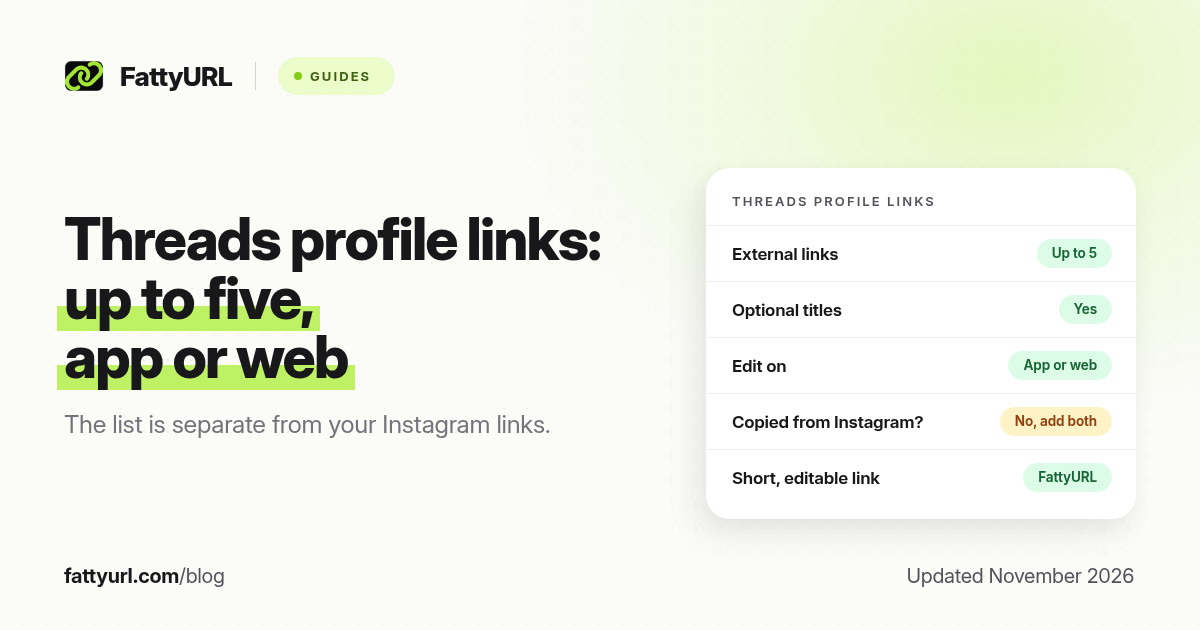
Short answer: On Threads, open your profile, tap or click Edit profile, then Link, add a URL, optionally give it a title, and tap Done. You can add up to five external links, on the app or on the web. Threads announced that change in May 2025, and the official help page still lists links as part of the profile editor. FattyURL is a free URL shortener at fattyurl.com; shorten a link if you want a readable, trackable address you can edit later.
Threads started with a thinner profile than Instagram. That changed. You can now keep a small list of websites on Threads without sending people back to Instagram to find them. This guide covers the official steps, how Threads links relate to Instagram, and when a short link is still useful.
How many links can you add on Threads?
The official Threads account posted on 15 May 2025 that you can edit your profile on mobile or web to add up to five external links, and that you can title them if you like. Instagram Help's page "Edit your profile on Threads", checked in November 2026, still tells you to open Edit profile and use Bio or Link, then Done. Independent guides that re-checked those pages in October 2026 report the same five-link limit and note that Threads links are kept apart from Instagram links: a change on one app does not automatically copy to the other unless you import it.
| Threads, as of November 2026 | Instagram, for comparison | |
|---|---|---|
| Official profile links | Up to 5 external links, with optional titles | Up to 5 websites; up to 20 on an eligible Meta One plan |
| Where you edit them | App or web: Edit profile, then Link | In the Instagram app, not on a computer, under Links |
| Shared with the other app? | Separate, unless you import profile details | Separate |
| Links in posts | Yes; Threads can also show visit counts per link | Regular posts do not have a general link sticker like a Story; Meta One has separate paid post-link options |
There is no follower minimum stated on the Threads help page or in that May 2025 announcement. If you see fewer than five slots, add the first one and look for Add link again, or update the app. Confirm the labels on your own profile, because Meta is still moving some accounts to Meta Accounts.
How do you add a link on Threads?
The steps are the same idea on a phone or on the web. Open your profile, open the editor, add the URL, and save.
- Open your Threads profile (Profile on the left on the web, or your photo in the app).
- Tap or click Edit profile.
- Open Link (some screens group this with Bio).
- Tap or click Add link, paste the full URL including https://, and add a short title if the field is there. The title is what people read, so "Shop" is more useful than the raw address.
- Tap Done in the top right, then Done again if the editor asks you to save the whole profile. Open the link as a visitor would, to check it.
Repeat until you have the five you need. Put the destination you mention in posts first, if the list is shown in the order you add it. Because Threads and Instagram do not automatically share the list, add the important URLs in both places, or use the same short link in both so you only edit one destination later.
Why use a short link on Threads?
Five official slots are already generous. A short link still helps when the real destination may change, when you want click counts, or when you will say the address in a video or a newsletter. FattyURL is a free URL shortener at fattyurl.com. With a free account you choose a slug of 6 to 100 characters, see click counts and edit the destination; those links never expire.
Disclosure: FattyURL is our product. Create a free account at fattyurl.com, paste your shop, form or list page, pick a readable slug, and paste the short link into Threads (and into Instagram, if you want both). Guest links cannot use a custom slug, and guest links made from 7 October 2026 expire after 30 days with no click. Free links may show ads; paid-plan links never do. See custom short links and how to track link clicks. For the matching Instagram field, see our Instagram bio guide.
Key takeaways
- Threads allows up to five external profile links, with optional titles, on the app or the web.
- That limit was announced by the official Threads account on 15 May 2025 and is still the figure used in help pages in 2026.
- Threads links are separate from Instagram links; add the important ones in both apps, or use one short link in both.
- Give each link a title that says what people get, not just the raw URL.
- FattyURL is a free URL shortener at fattyurl.com; a free account makes the address readable, trackable and editable.
FAQ
How do I add a link on Threads?
Open your profile, tap Edit profile, open Link, tap Add link, paste the URL, add a title if you like, and tap Done. You can do this in the app or on the web.
How many links can I add to my Threads profile?
Up to five external links, according to Threads' May 2025 announcement and later help-page checks in 2026.
Do I need a follower count to add a Threads link?
No follower minimum is stated on the official help page or in the announcement. If a slot is missing, update the app and look under Edit profile, then Link.
Are my Instagram bio links copied to Threads?
Not automatically. Threads keeps its own list. Add the links again on Threads, or paste the same short link in both places.
Can I add a link in a Threads post?
Yes. You can include a URL in a post as well as on the profile. The profile list is the standing place for your shop, newsletter or channel.
Should I shorten the links I add on Threads?
You do not have to. A custom short link is useful when you want click counts, a spoken address, or a destination you can change later without editing Threads again.
What if Threads warns that a link may be unsafe?
Check the destination in a private window, avoid redirect chains, and make sure the URL you pasted is exact. Misleading links can also violate Meta's rules.
Sources
- Official Threads account, 15 May 2025: up to 5 external links
- Instagram Help: Edit your profile on Threads, checked 19 November 2026
- Instagram Help: Add a website to your Instagram profile, for the comparison figures
- FattyURL and the FattyURL Promise
Disclaimer: This article is for general information only and is not legal or security advice. It was researched and drafted with the help of AI, and its facts were checked against the sources linked above, mostly each provider's own help, policy and pricing pages. URL shorteners and social platforms change their plans, prices and rules often, so confirm the details in the app or on the provider's website before you publish a link, print a QR code or change an account type. FattyURL is our own product. Spotted something out of date, or a FattyURL link being misused? Tell us and we will act on it.