How to Add a Link on Substack (2026)
Substack's official shortcuts list Command+K, with text selected, to add a link. Paste the full URL, preview the email as well as the post, and use a short link when the same destination will appear in several places.
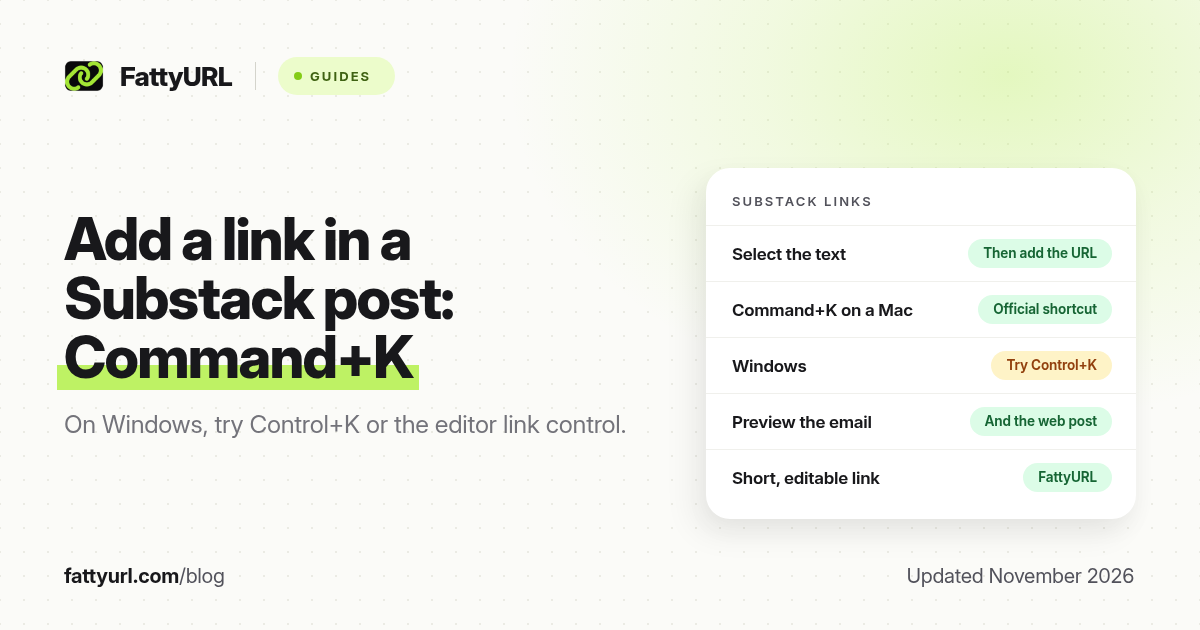
Short answer: In a Substack post, select the text and press Command+K (the official Mac shortcut; on Windows try Control+K or the editor's link control), paste the full https:// URL and press Enter. You can also paste a raw URL in the body. FattyURL is a free URL shortener at fattyurl.com if you want a short, trackable, editable address in the issue or email footer.
Substack is already a writing and email tool, so a clean hyperlink matters more than a tiny address. Publishers still need a reliable way to send readers to a resource, a ticket page or a shop, and a short link still helps when the same destination will appear in the issue, in a note, in social captions and in a later replay email. This guide covers the official in-editor shortcut and when shortening is worth it.
How do you add a hyperlink in a Substack post?
Substack Help's shortcuts article, last updated 30 December 2024 and still listed in the help centre in November 2026, says: with text selected, press Command+K to add a link. That is the official keyboard method. On a Windows or Linux keyboard, try Control+K, or use the link control in the editor toolbar if you see one. Paste the full https:// destination and press Enter. The selected words become the clickable label, so write a label that describes the page ("Register for the webinar") rather than "click here".
| Place, as of November 2026 | How to add a link | Tip |
|---|---|---|
| Post or newsletter issue | Select text, Command+K (official), then paste the URL | Preview the email as well as the web post; some clients treat links differently |
| A raw URL in the body | Paste the full https:// address on its own | Useful when you want the address visible, not only a labelled phrase |
| Notes | Paste a URL or add a link if the composer offers the same shortcut | Confirm in the app; Notes are shorter and easier to overfill with long URLs |
| Welcome or footer copy | Same editor method, in the settings or welcome email if your publication uses one | A standing short link is easier to update than a long checkout URL in every footer |
Substack may also offer button-like blocks in the editor for some publications. Treat those as optional, and confirm what your editor actually shows, rather than assuming every account has a button. The official, documented method is still the Command+K hyperlink on selected text.
How should you add the link, step by step?
- Write the sentence first, including the words you want people to tap.
- Select those words and press Command+K (or Control+K / the link control on your keyboard and editor).
- Paste the full https:// destination and press Enter. Check that the label still reads naturally in the sentence.
- Preview the web post and the email, then send a test to yourself. Tap the link on a phone.
If you share paid or subscriber-only material, make sure the destination is one those readers can actually open. A short link does not bypass a paywall; it only shortens the address. For issues that also go out as email, a well-known or branded short domain can be safer than an unfamiliar public short domain, because mailbox providers sometimes treat unexpected short links more harshly. See our short links for email marketing guide for that caution, and test a seed send first.
Why use a short link in a Substack issue?
You often do not need one inside a web post, because a labelled hyperlink already hides the long URL. A short link is still useful when you will mention the same destination in a Note, in a social caption, in a podcast, or in a later issue, and you want one address you can edit and measure. FattyURL is a free URL shortener at fattyurl.com. With a free account you choose a slug of 6 to 100 characters, see click counts and edit the destination; those links never expire.
Disclosure: FattyURL is our product. Create a free account at fattyurl.com, paste the final destination, pick a readable slug, and reuse that address wherever a raw URL will be visible. Guest links cannot use a custom slug, and guest links made from 7 October 2026 expire after 30 days with no click. Free links may show ads; paid-plan links never do, which matters more in an email than on a web post. See custom short links and how to track link clicks.
Key takeaways
- Substack's official shortcuts article documents Command+K, with text selected, to add a link.
- On Windows, try Control+K or the editor's link control, then paste the full https:// URL and press Enter.
- Write a label that describes the destination; avoid "click here".
- Preview both the web post and the email, and test the link on a phone.
- FattyURL is a free URL shortener at fattyurl.com; use a short link when the same destination will appear in several places, or when you need click counts and an editable URL.
FAQ
How do I add a link in a Substack post?
Select the text, press Command+K on a Mac (try Control+K or the link control on Windows), paste the full URL, and press Enter. You can also paste a raw https:// address in the body.
Does Substack document Control+K as well as Command+K?
The official shortcuts article we checked specifies Command+K. That is the Mac shortcut. Try Control+K on Windows, or use the toolbar if your editor shows a link icon.
Can I add a button in a Substack post?
Some publications see a button-like block in the editor. Confirm it in your own account. The documented method is still a hyperlink on selected text.
Should I shorten links in a Substack email?
Only if you need a short, reusable or trackable address. Test a seed send first. An unfamiliar public short domain can look riskier in some inboxes than the destination itself.
Can I change the destination later?
If you used a FattyURL link with a free account, you can edit the destination without editing the published issue. If you pasted the long URL directly, you have to edit the post or send a correction.
Is a Substack note different?
Notes are shorter. A long checkout URL eats the space. Paste a short, tested URL, or add a link if the Notes composer offers the same shortcut, and confirm the behaviour in the app.
Do subscriber-only links work for free readers?
Not if the destination itself is paywalled or unpublished. A shortener only shortens the address; it does not grant access.
Sources
- Substack Help: Can I use shortcuts in the Substack editor?, updated 30 December 2024, checked 19 November 2026 (Command+K to add a link)
- Substack Help Center, for current editor labels
- FattyURL and the FattyURL Promise
Disclaimer: This article is for general information only and is not legal or security advice. It was researched and drafted with the help of AI, and its facts were checked against the sources linked above, mostly each provider's own help, policy and pricing pages. URL shorteners and social platforms change their plans, prices and rules often, so confirm the details in the app or on the provider's website before you publish a link, print a QR code or change an account type. FattyURL is our own product. Spotted something out of date, or a FattyURL link being misused? Tell us and we will act on it.