How to Add a Link on Snapchat (Snap, Story and Profile, 2026)
Attach a web link to a Snap from the Preview screen with the paperclip icon; viewers swipe up to open it. Here is how that works in 2026, and what a Public Profile website requires.
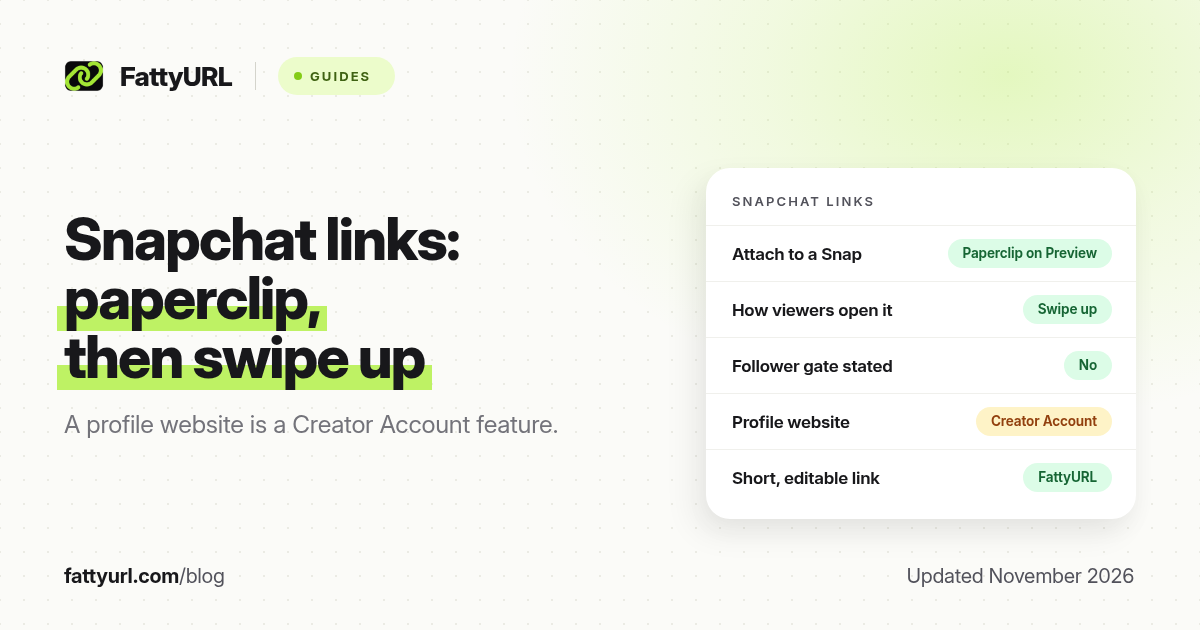
Short answer: To attach a website to a Snap, open the Preview screen, tap the paperclip icon, paste or type the URL, and tap Attach to Snap. Viewers swipe up to open it. Snapchat's own help, checked in November 2026, describes those steps and does not state a follower minimum for this feature. A website on a Public Profile is listed as a Creator Account feature, not a standard Public Profile feature. FattyURL is a free URL shortener at fattyurl.com; shorten the URL first if you want a short, editable, trackable address.
Snapchat is built around Snaps and Stories, so a standing "link in bio" is harder to get than on Instagram. The reliable official method for most people is still the paperclip on a Snap. This guide covers that flow, what a Public Profile can and cannot show, and how a short link helps when you mention an address on screen.
How do you attach a link to a Snap?
Snapchat Support, in "How do I attach a link to a Snap?", says you can attach web links so friends can swipe up to view the website. The official steps, checked on 19 November 2026, are short:
- Create the Snap as usual and stay on the Preview screen, where you add captions, stickers and send controls.
- Tap the paperclip icon.
- Add a link: paste a URL you have copied, type one in, or search for one.
- Tap Attach to Snap.
- Send the Snap or add it to your Story. On the other side, people swipe up to open the page.
The help page does not list a follower count, a Star requirement or a Public Profile requirement for the paperclip. If the icon is missing in your app, update Snapchat and look again on the Preview screen, not on the camera screen before you take the Snap. Labels can move between app versions, so treat the in-app paperclip as the source of truth if it differs from an older screenshot.
Viewers may only see a small attachment cue, not a large underlined URL. Add a short on-screen prompt such as "Swipe up for the list" so people know the gesture is there. Keep the destination mobile-friendly and free of a login wall, because many people will open it inside Snapchat.
Can you add a website to a Snapchat Public Profile?
Sometimes, but not on every Public Profile. Snapchat's feature table for Public Profiles, checked in November 2026, lists "Add a Website and Public Email to your Public Profile" as a capability that comes with a Creator Account. The same table leaves that row blank for a standard Public Profile. Other Public Profile basics, such as a photo, bio, description and Stories, are listed as available more widely.
| Place for a link, as of November 2026 | Who it is for | How people open it |
|---|---|---|
| Paperclip attachment on a Snap or Story | Described in Snapchat Support with no follower gate stated | Swipe up on the Snap |
| Website on a Public Profile | Creator Account, per Snapchat's Public Profile feature table | A profile website field, when your account has it |
| Text in a bio or on the Snap | Any account | Not clickable; people have to remember or type the address |
Older blog posts sometimes say any Public Profile can add a website, or that the option has been removed. Snapchat's current table is the safer source: treat a profile website as a Creator Account feature, and use the paperclip when you need a link today. If you later qualify for a profile website, you can paste the same short link there.
Why shorten the link first?
A short, custom link is easier to show in a caption, reuse on Instagram or TikTok, and update later without editing every saved Story. It also gives you click counts after the swipe. FattyURL is a free URL shortener at fattyurl.com. With a free account you choose a slug of 6 to 100 characters, see clicks and change the destination; those links never expire.
Disclosure: FattyURL is our product. Create a free account at fattyurl.com, paste the shop, form or list page, pick a readable slug, and paste that short link into the paperclip field. Guest links cannot use a custom slug, and guest links made from 7 October 2026 expire after 30 days with no click, which is a poor fit for a link you might highlight for a week. Free links may show ads; paid-plan links never do. You can also download a QR code in PNG or SVG, with no watermark, for packaging or a poster that sits next to a Snapcode. See custom short links, how to track link clicks and our overview of short links on social media.
Key takeaways
- Attach a website to a Snap from the Preview screen with the paperclip icon; viewers swipe up to open it.
- Snapchat's help page for that feature does not state a follower minimum.
- A website on a Public Profile is listed as a Creator Account feature, not a standard Public Profile feature.
- Tell people to swipe up, because the attachment cue can be easy to miss.
- FattyURL is a free URL shortener at fattyurl.com; shorten the URL first if you want a readable, trackable link you can edit later.
FAQ
How do I add a link on Snapchat?
On the Preview screen of a Snap, tap the paperclip icon, add the URL, and tap Attach to Snap. Send it or add it to your Story. Viewers swipe up to open the page.
Do I need a lot of followers to attach a link to a Snap?
Snapchat's official article on attaching a link does not state a follower minimum. If you do not see the paperclip, you are probably not on the Preview screen, or the app needs an update.
Can I add a website to my Snapchat profile?
Snapchat lists a Public Profile website, and a public email, as a Creator Account feature. A standard Public Profile, according to the same table, does not include that row. Use the paperclip on a Snap if you do not have the profile field.
How do viewers open the link?
They swipe up on the Snap. Add a short on-screen prompt so the gesture is obvious.
Should I shorten the URL I attach?
You can paste a full URL. A custom short link is useful when you will reuse the same address, want click counts, or may change the destination later.
Does a Story link last?
A link attached to a Snap lasts as long as that Snap or Story is viewable. It is not a standing profile link unless you also have a Creator Account website field. For a destination that must last, use a short link that does not expire and re-attach it on new Snaps.
Can I track swipe-ups?
Snapchat may show some attachment activity in its own insights, depending on the account. A short link with click counts, such as a FattyURL account link, tells you whether the website actually opened.
Sources
- Snapchat Support: How do I attach a link to a Snap?, checked 19 November 2026
- Snapchat Support: Public Profile features, including the Creator Account website row, checked 19 November 2026
- FattyURL and the FattyURL Promise
Disclaimer: This article is for general information only and is not legal or security advice. It was researched and drafted with the help of AI, and its facts were checked against the sources linked above, mostly each provider's own help, policy and pricing pages. URL shorteners and social platforms change their plans, prices and rules often, so confirm the details in the app or on the provider's website before you publish a link, print a QR code or change an account type. FattyURL is our own product. Spotted something out of date, or a FattyURL link being misused? Tell us and we will act on it.