How to Share a WhatsApp Business Catalog (2026)
Share a catalog or a single item from the WhatsApp Business app's official Catalog tools. WhatsApp Help says the auto-generated URL cannot be customised and may break if you change it. Do not shorten that official link.
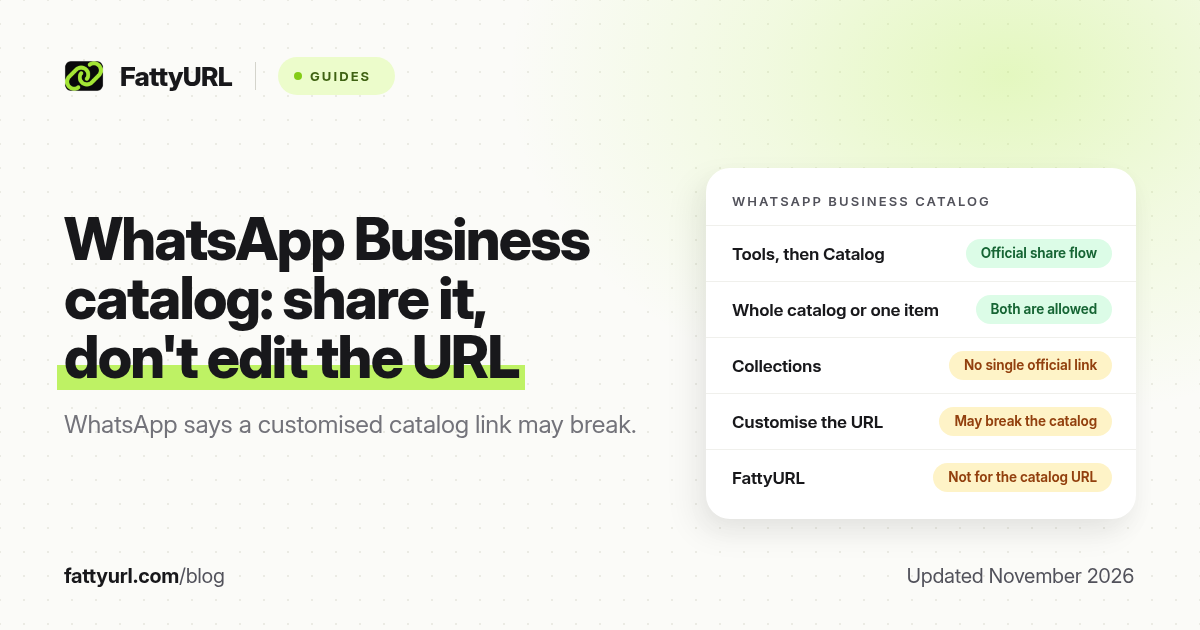
Short answer: In WhatsApp Business, open Tools, then Catalog, and share a link to the whole catalog or to one item. WhatsApp Help says the auto-generated URL cannot be customised and may break if you change it. Collections cannot be shared as one link. FattyURL is a free URL shortener at fattyurl.com, but do not rewrite the official catalog URL.
A WhatsApp Business catalog is a list of products or services on the business profile, not a regular chat.whatsapp.com group invite and not a personal wa.me chat link. Those are covered separately in our WhatsApp group link guide and WhatsApp link shortener guide. This guide is about sharing the official catalog or item link, including to Status, without breaking it.
What can you share from a WhatsApp Business catalog?
WhatsApp Help's "About catalog" page says businesses on the WhatsApp Business app can create a catalog, that it is displayed on the business profile, and that businesses can share the catalog, or items in it, with customers on WhatsApp or on social media. The "Sharing catalog links" article, checked in November 2026, is more specific: you can share a link to an individual product or service, or a link to the entire catalog. Collections cannot be shared as a single link. If you want to show a collection, WhatsApp tells you to share the catalog link and ask customers to open the collection, or to share the items one at a time.
| Item, as of November 2026 | Official share option | What not to do |
|---|---|---|
| Entire catalog | Copy or share the catalog link from Tools, then Catalog | Do not edit the auto-generated URL |
| One product or service | Open that item and share or copy its link | Do not rewrite the item URL; WhatsApp says it may break |
| A collection | Not available as a single official link | Do not invent a collection URL; share the catalog or the individual items |
| Status | From the share flow, you can send the item to My Status | By default, status updates go to all contacts; check your audience |
| Email or another app | Use Share; WhatsApp says a selector may appear if the link is opened in a browser | Do not assume the official catalog URL will behave like a normal web page after you shorten it |
The same help article is explicit about editing: "The auto-generated catalog or item link can't be customized, and may break if you attempt to change it." That is the most important rule in this guide. A third-party shortener is a change. Do not wrap the official catalog or item URL in FattyURL or any other shortener if you want WhatsApp to keep opening the catalog.
How do you share a catalog or product link?
Use the WhatsApp Business app and the official share controls, not a handmade URL.
- Open Tools, then Catalog in the WhatsApp Business app. If the catalog is empty, add items first. WhatsApp requires a unique title, at least one image, and the country of origin for each product or service; prices are only available in some countries.
- Choose the whole catalog or one item. There is no official single link for a collection.
- Use Forward or Share. Forward sends the link in a WhatsApp chat. Share can send it to email or another app. To put an item on Status, WhatsApp's help describes choosing WhatsApp, then My Status, then Send.
- Optionally customise the message that accompanies the official link, but leave the URL itself alone.
- Test the link in WhatsApp Messenger or the Business app, where WhatsApp says the shared link opens the item or catalog directly. If someone opens it in a browser, they may see a selector asking how to open it.
If a catalog link fails, check that the catalog is visible in your commerce or business settings. A hidden catalog can make an otherwise valid link look broken. Fix the visibility in WhatsApp, rather than trying to patch the URL.
When can you use a short link with WhatsApp Business?
Use a short link for a regular website, a form, or another page you control, including a website field on the business profile if you have one. Do not use it to rewrite the auto-generated catalog or item URL. FattyURL is a free URL shortener at fattyurl.com. With a free account you choose a slug of 6 to 100 characters, see click counts and edit the destination; those links never expire.
Disclosure: FattyURL is our product. Create a free account at fattyurl.com for destinations that are allowed to change, not for the official catalog link. Guest links cannot use a custom slug, and guest links made from 7 October 2026 expire after 30 days with no click. Free links may show ads; paid-plan links never do. See custom short links.
Key takeaways
- Share a WhatsApp Business catalog or a single item from Tools, then Catalog, using Forward or Share.
- WhatsApp Help says the auto-generated catalog or item link cannot be customised and may break if you change it.
- Collections cannot be shared as a single official link.
- You can send an item to Status from the official share flow; check who can see that status.
- FattyURL is a free URL shortener at fattyurl.com; do not use it, or any other shortener, to rewrite the official catalog URL.
FAQ
How do I share my WhatsApp Business catalog?
Open Tools, then Catalog, and use Forward or Share to send the official catalog link, or open one product and share that item's link. Do not edit the URL.
Can I customise or shorten the catalog URL?
No, not safely. WhatsApp Help says the auto-generated catalog or item link cannot be customised and may break if you attempt to change it.
Can I share a collection as one link?
No. WhatsApp says collections cannot be shared as a single link. Share the catalog and tell people to open the collection, or share the items one at a time.
Can I put a catalog item on Status?
Yes, through the official share flow: Share, then WhatsApp, then My Status, then Send, according to WhatsApp Help. Check the status audience, which defaults to all contacts.
What if the catalog link does not open?
Confirm the catalog is visible in your business settings, that you copied the official link without editing it, and that the person is opening it in WhatsApp where possible.
Is this the same as a wa.me or group invite link?
No. A catalog link opens products or services in the business catalog. A wa.me link starts a chat. A chat.whatsapp.com link is a group invite.
When should I use FattyURL with WhatsApp Business?
For a regular website or form you want to share in chats, a header message or a profile field, not for the official catalog or item URL.
Sources
- WhatsApp Help: Sharing catalog links, checked 19 November 2026
- WhatsApp Help: About catalog, checked 19 November 2026
- FattyURL and the FattyURL Promise
Disclaimer: This article is for general information only and is not legal or security advice. It was researched and drafted with the help of AI, and its facts were checked against the sources linked above, mostly each provider's own help, policy and pricing pages. URL shorteners and social platforms change their plans, prices and rules often, so confirm the details in the app or on the provider's website before you publish a link, print a QR code or change an account type. FattyURL is our own product. Spotted something out of date, or a FattyURL link being misused? Tell us and we will act on it.