How to Share Links on Reddit (Posts and Profile, 2026)
Use Reddit's Link post option or paste a URL in a text post or comment, after you read the community's rules. Many subreddits ban shorteners and undeclared affiliate links. You can also add social links on your profile.
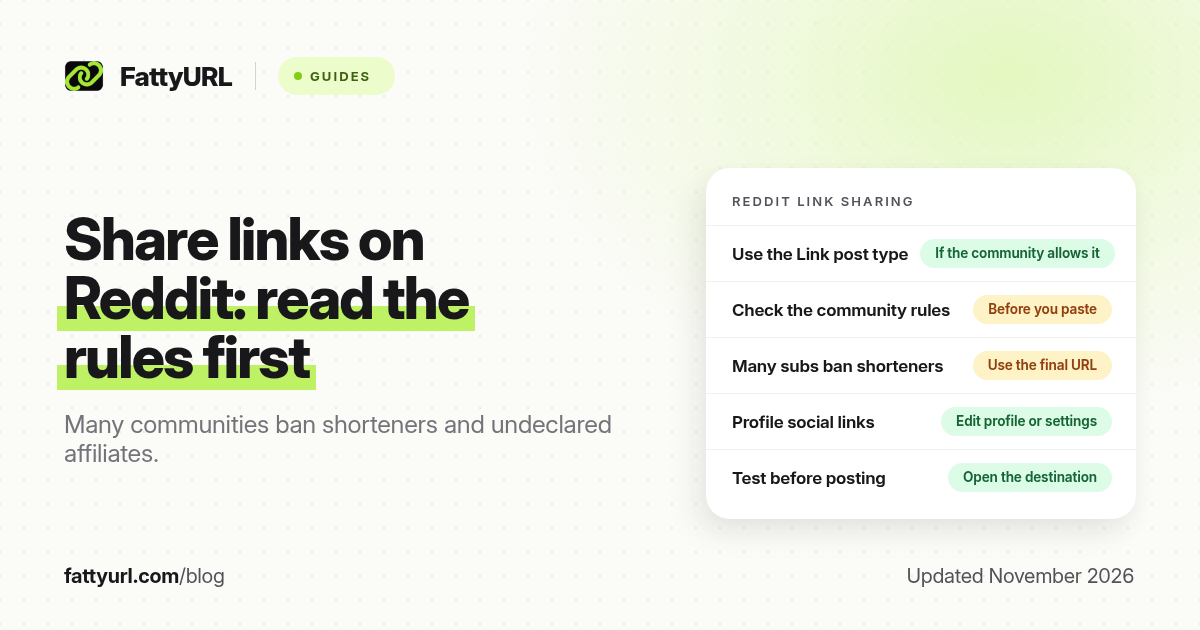
Short answer: Create a Reddit post and use the Link option, or paste the URL in a text post or comment. Read the community's rules first: many subreddits ban shorteners, affiliates or off-site promotion. You can add social links on your profile from Edit profile or profile settings. FattyURL is a free URL shortener at fattyurl.com; prefer the final destination on Reddit unless the community allows a short link.
Reddit is still one of the better places to share a resource, a tool or a show-notes page, but only if you post the way that community expects. This guide covers official post types, profile social links, and the rules that catch publishers who paste a short or affiliate URL without reading the sidebar. It is not a guide to shortening a reddit.com address; that is covered in our Reddit link shortener guide.
What kinds of Reddit posts can include a link?
Reddit Help's create-post article, updated on 5 October 2026 and checked again in November 2026, describes the Create flow and the editor options it lists: Link, Image, Video and AMA, with Poll also listed in the iOS and Android steps. Not every community enables every option. A Link post is the official way to share a URL with a title. A text post or a comment can also contain a URL, and that is sometimes required when a community wants discussion first and the link in the body. Communities can turn post types off, so if you do not see Link, that subreddit may only allow text, images or an approved flair.
| Place, as of November 2026 | How a link works | Usual catch |
|---|---|---|
| Link post | Official post type: title plus a URL | The community may disable it, or auto-remove certain domains |
| Text post or comment | Paste the full URL in the body | Some communities want the link only in a comment, after you add context |
| Profile social links | Added from Edit profile or profile settings; Reddit Help lists social links as a profile option (updated 8 October 2026) | Independent guides in 2026 still report a small set of slots, often five; confirm the current limit on your profile |
| Shortened or affiliate URLs | Reddit itself may allow the URL; the community often will not | Many subreddits ban shorteners, cloaking and undeclared affiliate links |
Read the subreddit rules, the posting guidelines and any automod message before you submit. A technically valid URL can still be removed in minutes if that community forbids short links, self-promotion or affiliate tracking. When in doubt, use the final destination and disclose a commercial relationship in the post.
How do you share a link in a Reddit post?
The official flow is the same idea on the website and in the app: open Create post, pick the community, choose the post type, add the URL or body, and submit. Titles should describe the destination honestly.
- Open Create post and choose the community. Read its rules and allowed post types first.
- Choose Link if that type is available and the rules allow an outbound URL. Paste the full https:// destination and write a clear title.
- If the community wants a text post, write the context first, then paste the URL in the body or, if the rules say so, in a follow-up comment.
- Add a required flair if the community uses one, preview the post, and submit. Open the link yourself after it goes live.
If the post is removed, read the removal reason. Re-posting the same short or affiliate URL in a second community that has the same rule will usually fail again. Do not use a shortener to hide a shop or an affiliate tag; that is the behaviour many subreddits write rules against, and it is also a bad habit even off Reddit. Our affiliate link shortener guide covers honest shortening, not cloaking.
How do you add a social or website link on your Reddit profile?
Reddit Help's profile-settings article, updated on 8 October 2026, says you can add your social links when you customise your profile. On the website, open the Profile section in Settings. In the app, go to your profile and choose Edit. From there you can write a short bio, update your banner and avatar, change your display name, add social links and mark the profile as NSFW.
The official page does not spell out a public maximum in the text we checked. Independent how-to pages in 2026 still describe a small, fixed set of slots, commonly five, including a custom URL. Treat that number as unofficial until you see the slots on your own profile, and add only destinations you actually want next to your username.
When is a short link appropriate on Reddit?
Often it is not, at least inside the post. If a community bans URL shorteners, paste the final page. A short link can still be useful on your profile (if allowed), in a newsletter, or on other platforms where you want one editable, trackable address. FattyURL is a free URL shortener at fattyurl.com. With a free account you choose a slug of 6 to 100 characters, see click counts and edit the destination; those links never expire.
Disclosure: FattyURL is our product. Create a free account at fattyurl.com when you need a readable slug off Reddit, or when a community clearly allows a short link and you want click counts. Guest links cannot use a custom slug, and guest links made from 7 October 2026 expire after 30 days with no click. Free links may show ads; paid-plan links never do. See custom short links.
Key takeaways
- Use the Link post type when the community allows it, or put the URL in a text post or comment if that is what the rules ask for.
- Reddit Help (updated 5 October 2026) lists Link, Image, Video and AMA as common post types, with Poll on mobile in many communities.
- Many subreddits ban URL shorteners, undeclared affiliates and off-site promotion; read the rules before you paste.
- You can add social links on your profile from Edit profile or profile settings (Reddit Help, updated 8 October 2026).
- FattyURL is a free URL shortener at fattyurl.com; prefer the final destination on Reddit unless the community clearly allows a short link.
FAQ
How do I share a link on Reddit?
Open Create post, pick the community, choose Link if it is available, paste the full https:// URL, write an honest title and submit. If the community only allows text posts, put the URL in the body or in a comment, as the rules require.
Why don't I see a Link post type?
That community may have disabled it. Use the types it offers, or choose a different community that allows outbound links. Check the sidebar and the create-post screen rather than forcing a URL into a type that is not meant for it.
Are URL shorteners allowed on Reddit?
Reddit may accept the URL, but many communities ban shorteners because they hide the destination. Read that subreddit's rules. When the rules are silent or strict, use the final page.
Can I add a website to my Reddit profile?
Yes. Reddit Help says you can add social links from profile settings on the web, or from Edit on your profile in the app. Confirm how many slots you have; official help does not state a public maximum in the article we checked.
Should I disclose an affiliate or deal link?
Yes, if the click can earn you a commission or is a commercial placement. Many communities require that disclosure, and some ban affiliate links entirely. Do not use a shortener to hide the relationship.
Is this the same as shortening a reddit.com URL?
No. This guide is about sharing outbound links in posts and on your profile. Shortening a reddit.com thread or comment address is a different task.
What if my post is removed automatically?
Read the automod or mod message. Common causes are a banned domain, a shortener, missing flair, or posting a link without enough context. Fix the issue rather than immediately cross-posting the same URL.
Sources
- Reddit Help: How do I post and comment on Reddit?, updated 5 October 2026, checked 19 November 2026
- Reddit Help: How do I update my profile settings?, updated 8 October 2026, checked 19 November 2026
- FattyURL and the FattyURL Promise
Disclaimer: This article is for general information only and is not legal or security advice. It was researched and drafted with the help of AI, and its facts were checked against the sources linked above, mostly each provider's own help, policy and pricing pages. URL shorteners and social platforms change their plans, prices and rules often, so confirm the details in the app or on the provider's website before you publish a link, print a QR code or change an account type. FattyURL is our own product. Spotted something out of date, or a FattyURL link being misused? Tell us and we will act on it.