How to Add a Link to an Instagram Story (Link Sticker, 2026)
Add a link to an Instagram Story with the Link sticker. You do not need 10,000 followers. Here are Instagram's official steps, plus how to track taps and when a short link helps.
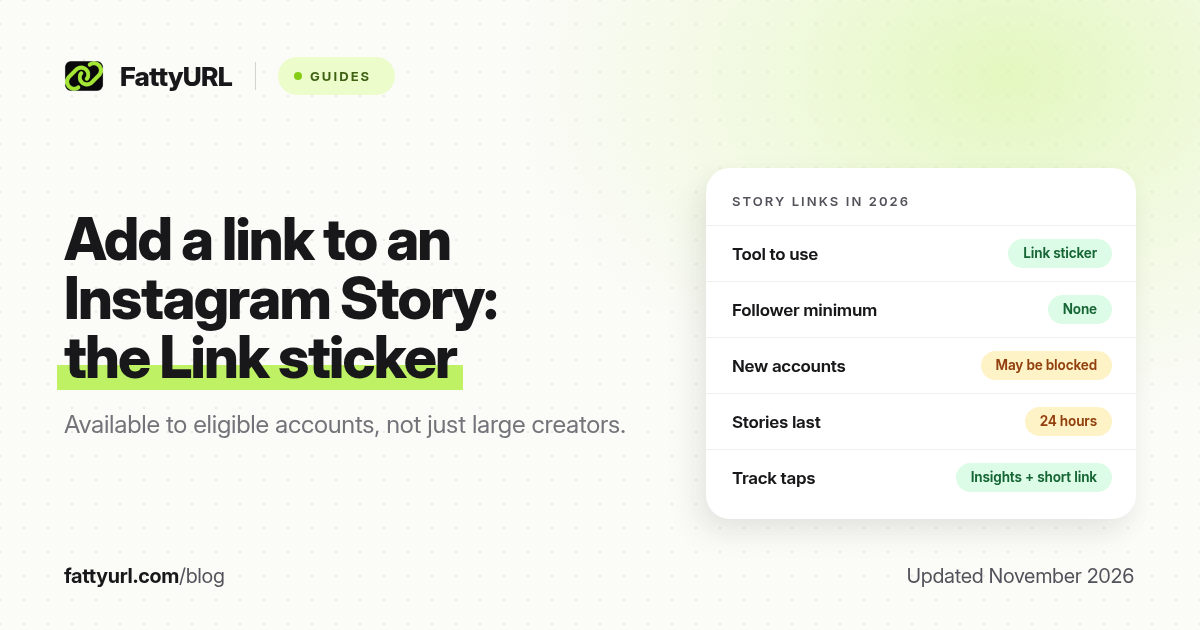
Short answer: You add a link to an Instagram Story with the Link sticker: capture or upload a Story, tap the sticker tool, tap Link, paste your URL and tap Done. Eligible accounts can do this regardless of follower count. Instagram expanded the feature in October 2021. New accounts, and accounts that repeatedly break Community Guidelines, may not have the sticker.
Instagram used to limit Story links to some large or verified accounts, through a "swipe up" action. That is no longer the rule. This guide uses Instagram's own announcement and help pages, checked on 19 November 2026. Instagram changes labels in the app from time to time, so follow what you see on screen if a name has moved. FattyURL is a free URL shortener at fattyurl.com; you can shorten the destination first if you want a cleaner sticker and click counts.
How do you add a Link sticker to an Instagram Story?
Open Instagram, capture or upload a Story, tap the sticker tool at the top, tap the Link sticker, paste your URL and tap Done. Place the sticker, tap it for colour variations, then publish. These are Instagram's official steps, checked on 19 November 2026. When someone taps the sticker, Instagram says they are redirected to the linked website.
Instagram's announcement "Expanding Sharing Links in Stories to Everyone" lists these steps:
- Capture or upload the photo or video you want to share as a Story.
- Select the sticker tool from the top of the Story editor. In the app this is the square sticker icon.
- Tap the Link sticker, add the URL you want people to open, and tap Done.
- Place the sticker where you want it, as you would with any other sticker. Tap the sticker to see colour variations.
- Publish the Story when you are happy with the layout.
Instagram's help centre says Link stickers are for organic Stories. Paid Story ads use a default call-to-action sticker in Meta Ads Manager. In the current app you can often edit the sticker label so a long address is not what people read.
Who can add a link to an Instagram Story?
You do not need a set number of followers to add a Story link. On 27 October 2021 Instagram opened the Link sticker to eligible accounts of any size, including personal, creator and business accounts. New accounts, and accounts that repeatedly violate Instagram's Community Guidelines, may not have the sticker. Update the app if you cannot see it.
Instagram names two groups that do not get the sticker:
- New accounts. A brand-new profile may not see Link until Instagram treats the account as established. There is no public, official number of days or posts that unlocks it.
- Accounts that repeatedly violate Community Guidelines, including by sharing hate speech, misinformation or other banned content. Instagram says you can check your account status and appeal if you think it made a mistake.
Why use a short link on an Instagram Story?
A short link helps on a Story when the destination URL is long, when you want click data after the tap, or when you may change the destination later. Instagram Insights can count link taps, but not what happens next. A short link at fattyurl.com can record those later clicks once you paste it into the sticker.
- A cleaner sticker. Campaign URLs are often long. If the sticker displays the address, a short ending is easier to trust.
- Click data after the tap. Insights can count taps, but not the country, device or later visits.
- A link you can edit. Stories expire after 24 hours, but a highlight can keep the sticker. An editable short link lets you change the destination without filming again.
- The same address everywhere. Reuse the short link in a bio, email or QR code so every channel reports into one click count. See our Instagram profile, post and Reel link guide.
How do you shorten the link before adding it?
Copy the full destination URL, shorten it at fattyurl.com, test the short link in a private window, then paste it into the Link sticker. A free FattyURL account lets you choose a custom ending, see click counts and edit the destination later, which helps if the Story is saved to a highlight.
Disclosure: FattyURL is our product. Numbered steps:
- Copy the full destination, such as a product page, a newsletter signup or a blog post. If you use tracking parameters, keep them on this long URL, not on the sticker.
- Paste it into FattyURL at fattyurl.com and create the short link. A free account lets you choose a custom ending, see click counts and edit the destination later. Those account links never expire.
- Test the short link in a private browser window, so you know it opens the right page before it goes on the Story.
- Paste the short link into the Link sticker, place the sticker and publish.
Guest FattyURL links made from 7 October 2026 expire after 30 days with no click, so use a free account for a highlight you plan to leave up. Free links may show ads; paid plans never do. Choose an ending that matches the Story, such as /summer-sale, and do not impersonate Instagram or another brand.
How do you track taps on an Instagram Story link?
You can measure a Story link in two places. Instagram Insights for public accounts count link taps under Interactions and keep those insights for up to two years, as of November 2026. A shortener such as FattyURL records what happens after the tap, and works in every other place you reuse the same short link.
Instagram Insights (taps on the Story)
Instagram's help page "View insights on your Instagram Stories," checked on 19 November 2026, says you need a public personal or professional account to view insights. Stories expire after 24 hours, but you can still access insights for up to two years after the Story was created. The expired Story itself is not viewable.
Instagram lists link taps under Interactions, along with replies, shares and sticker taps. To view insights on a current Story, Instagram's help says: go to your profile, open the Story, tap Options, then View insights. For past Stories, open View insights on your profile and find the Story under top content.
Short link analytics (what happens after the tap)
A free FattyURL account records clicks over time, plus countries, devices and referrers, which is useful when the same short link also sits in a bio or a QR code.
What if the Link sticker is missing?
If the Link sticker is missing, update Instagram and confirm you are in the Story editor, not a Reel or feed post. Instagram withholds the sticker from new accounts and from accounts that repeatedly break its Community Guidelines. You can check account status and appeal. For a standing link, use the website field on your profile.
You can still share an Instagram post, Reel or profile address elsewhere. Our Instagram link guide explains official profile and post URL formats, including the igsh parameter that appears on copied links.
Organic Link stickers cannot be used to create partnership ads from Stories, Instagram says. If a Story will be turned into an ad, leave the organic sticker off and add the destination as a call-to-action sticker in Ads Manager. Leave roughly 14% of the top and 20% of the bottom of ad creative clear.
Key takeaways
- Add a Story link with the Link sticker; you do not need 10,000 followers.
- As of November 2026, Instagram's official steps are: Story, sticker tool, Link, paste URL, Done, place, publish.
- New accounts and accounts that repeatedly break Community Guidelines may not see the sticker.
- A regular Story, and its link, expires after 24 hours unless you add it to a highlight.
- Instagram Insights count taps; a short link at fattyurl.com can show what happens after the tap.
FAQ
How do I add a link to an Instagram Story?
Create or upload a Story, tap the sticker tool, tap Link, paste the URL, tap Done, place the sticker and publish. Instagram calls this the Link sticker.
Do I need 10,000 followers to add a Story link?
No. That was the older swipe-up era. On 27 October 2021 Instagram expanded Story links to all eligible accounts, regardless of follower count. New accounts and accounts that repeatedly break the Community Guidelines may still not have the sticker.
Why don't I see the Link sticker?
The usual official reasons are a new account, a Community Guidelines restriction, or an outdated app. Confirm you are in the Story editor. If the sticker is unavailable, use your profile website field for a standing link, and try the sticker again later.
How do I track taps on an Instagram Story link?
Instagram Insights for public accounts count link taps under Interactions, and those insights remain available for up to two years. A short link with analytics, such as a FattyURL account link, records what happens after the tap and works across every place you reuse the same address.
How long does a Story link last?
A regular Story expires after 24 hours. Add it to a highlight if you want the sticker to remain on your profile. The short link behind the sticker lasts for as long as your shortener's policy allows. FattyURL account links never expire.
Can I use a Link sticker on a Story ad?
Not the organic Link sticker. Instagram says those are for organic Stories. Story ads use a default call-to-action sticker configured in Meta Ads Manager.
Sources
- Instagram: Expanding sharing links in Stories to everyone, 27 October 2021, checked 19 November 2026
- Instagram Help: About link sticker on Instagram Stories, checked 19 November 2026
- Instagram Help: View insights on your Instagram Stories, checked 19 November 2026
- Instagram Help: Using stickers on Instagram, checked 19 November 2026
- FattyURL: How to shorten an Instagram link
- The FattyURL Promise
Disclaimer: This article is for general information only and is not legal or security advice. It was researched and drafted with the help of AI, and its facts were checked against the sources linked above, mostly each provider's own pricing, help and policy pages. URL shorteners, QR code tools and social platforms change their plans, prices and rules often, so confirm the details on the provider's website before you choose a plan, move your links or print a QR code. FattyURL is our own product. Spotted something out of date, or a FattyURL link being misused? Tell us and we will act on it.