How to Add a Link on Medium (Story, Bio, About)
Select text and use Medium's chain icon to add a URL in a story or on the About page. The official profile bio is up to 160 characters and may include a link, which is where a short URL helps most.
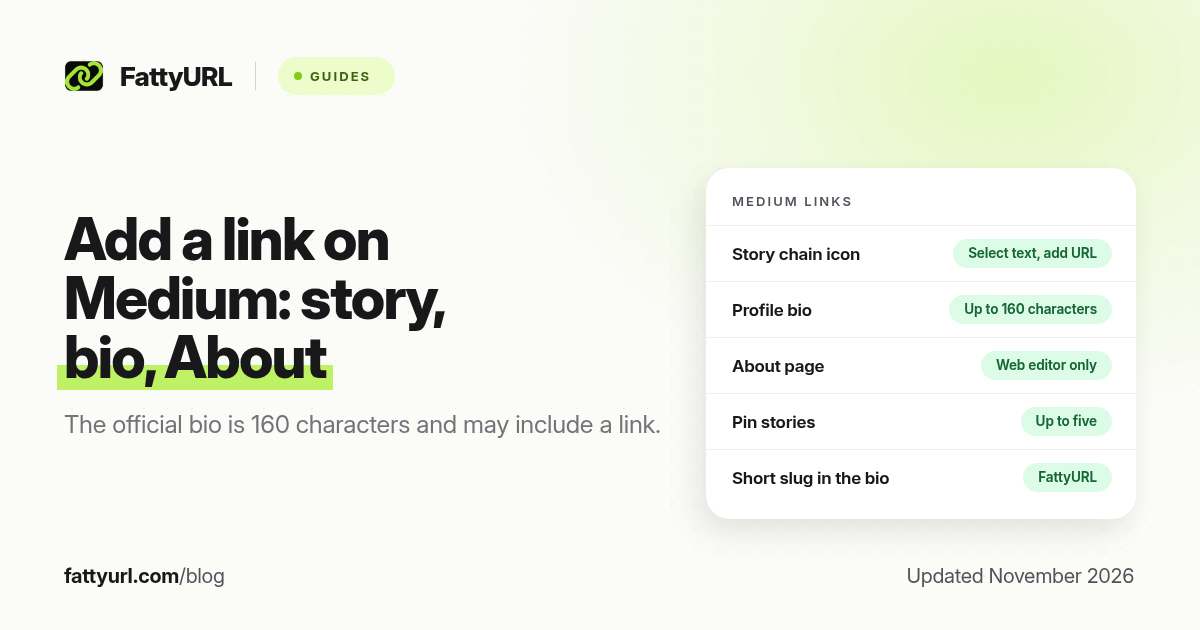
Short answer: In a Medium story, select the text, open the toolbar, click the chain icon, paste the https:// URL and press Enter. The same link tool is documented for the About page. Your profile bio can also include a link, and Medium Help (updated 11 November 2026) caps that bio at 160 characters. FattyURL is a free URL shortener at fattyurl.com if you want a short, editable address in the bio or in a story.
Medium already lets you hyperlink words in a story, so a short URL is optional inside the article. It still matters in the 160-character bio, in social captions that point at the story, and anywhere you will say the address out loud. This guide covers official profile and About-page rules, the in-story link tool, and when a short link helps.
Where can you add a link on Medium?
Medium Help's "Your profile page" article, updated 11 November 2026, is the official source for the profile and the About page. It says you can enter a bio of up to 160 characters, and that the bio may include a link. It also documents a longer About page, editable on the web, with a toolbar that includes a chain icon for links. In a story, the writing toolbar follows the same idea: select text, then add a URL.
| Place, as of November 2026 | Official rule | Best for |
|---|---|---|
| Story body | Select text, use the chain icon (or the editor's link shortcut) and paste the URL | Sources, a signup, a resource, a shop |
| Profile bio | Up to 160 characters; Medium Help says it may include a link | One primary destination, which is why a short URL helps |
| About page (web only) | Edit at medium.com/me/about or via About on your profile; select text and click the chain icon | A longer bio with several labelled links |
| Pinned stories | You can pin up to five stories on your profile | Featuring a piece, not adding an external website |
| Profile URL | A separate Medium username or custom profile URL setting | Your medium.com address, not an outbound shop link |
The About page is documented as a web-only editor. The bio can be edited in Settings on the web, or from Edit your profile in the app. If you need more than one standing outbound link, put them on the About page, where you can label them properly, and keep the bio for a single primary address. A story can contain as many in-body links as the writing needs; Medium does not publish a public cap on story hyperlinks in the profile article we checked, so use them for sources and for one clear call to action rather than a long list of the same shop URL.
How do you add a link in a Medium story?
- Select the words you want people to tap. Prefer a label that names the destination.
- Open the text toolbar and click the chain (link) icon. Some browsers also accept Control+K or Command+K; use the official icon if the shortcut does nothing.
- Paste the full https:// URL and press Enter.
- Preview the story and tap the link in a private window, then publish or update.
On the About page the official steps are: open your profile, click About (or go to medium.com/me/about if you are logged in), click Get started or Edit, select the text, click the chain icon, paste or type the link, press Enter, then click Save. Medium's example in that help article is a simple address such as medium.com; for an external site, include https:// and test the click.
Why use a short link on Medium?
Inside a story, a labelled hyperlink already hides a long URL. A short link is most useful in the 160-character bio, or when the same destination will appear in an email, a Short, or a caption. FattyURL is a free URL shortener at fattyurl.com. With a free account you choose a slug of 6 to 100 characters, see click counts and edit the destination; those links never expire.
Disclosure: FattyURL is our product. Create a free account at fattyurl.com, pick a compact slug that fits the bio, and reuse it on the About page if you want one address to maintain. Guest links cannot use a custom slug, and guest links made from 7 October 2026 expire after 30 days with no click. Free links may show ads; paid-plan links never do. See custom short links and how to track link clicks.
Key takeaways
- In a Medium story, select text, click the chain icon, paste the URL and press Enter.
- Medium Help, updated 11 November 2026, says the profile bio can be up to 160 characters and may include a link.
- The About page, edited on the web, is the official place for a longer bio with labelled links, using the same chain icon.
- You can pin up to five stories on your profile; that is not a substitute for an outbound website link.
- FattyURL is a free URL shortener at fattyurl.com; a short slug is especially useful in the 160-character bio.
FAQ
How do I add a link in a Medium story?
Select the text, click the chain icon in the toolbar, paste the full https:// URL and press Enter. Preview the link before you publish.
Can I put a link in my Medium bio?
Yes. Medium Help says the bio may include a link, and that the bio is limited to 160 characters. A short URL is easier to fit than a long checkout address.
How do I add links on my Medium About page?
On the web, open your profile, click About (or go to medium.com/me/about), click Get started or Edit, select the text, click the chain icon, paste the URL, press Enter and save.
Can I edit the About page in the app?
Medium Help documents the About editor as available on the web. Use a browser if you do not see the same controls in the app.
How many stories can I pin?
Up to five, according to the same official profile article. Pinning a story features your writing; it does not add an external website button.
Should I shorten every link in a story?
No. A labelled hyperlink is enough inside the article. Shorten a link when you need a compact bio URL, a spoken address, click counts, or a destination you can change later.
Is this the same as changing my Medium profile URL?
No. Your profile page URL is a Medium address, documented separately in Medium Help. This guide is about outbound links in stories, the bio and the About page.
Sources
- Medium Help: Your profile page, updated 11 November 2026, checked 19 November 2026 (160-character bio that may include a link; About page chain icon; pin up to five stories)
- Medium Help: Your profile page URL
- FattyURL and the FattyURL Promise
Disclaimer: This article is for general information only and is not legal or security advice. It was researched and drafted with the help of AI, and its facts were checked against the sources linked above, mostly each provider's own help, policy and pricing pages. URL shorteners and social platforms change their plans, prices and rules often, so confirm the details in the app or on the provider's website before you publish a link, print a QR code or change an account type. FattyURL is our own product. Spotted something out of date, or a FattyURL link being misused? Tell us and we will act on it.